Product Design
BlockCONNECT
Making the invisible visible — debugging ad tech at scale
Retooling BlockCONNECT's complex pixel deployment process to prevent user confusion and support team overload.
Product Design · UX Research · Interaction Design
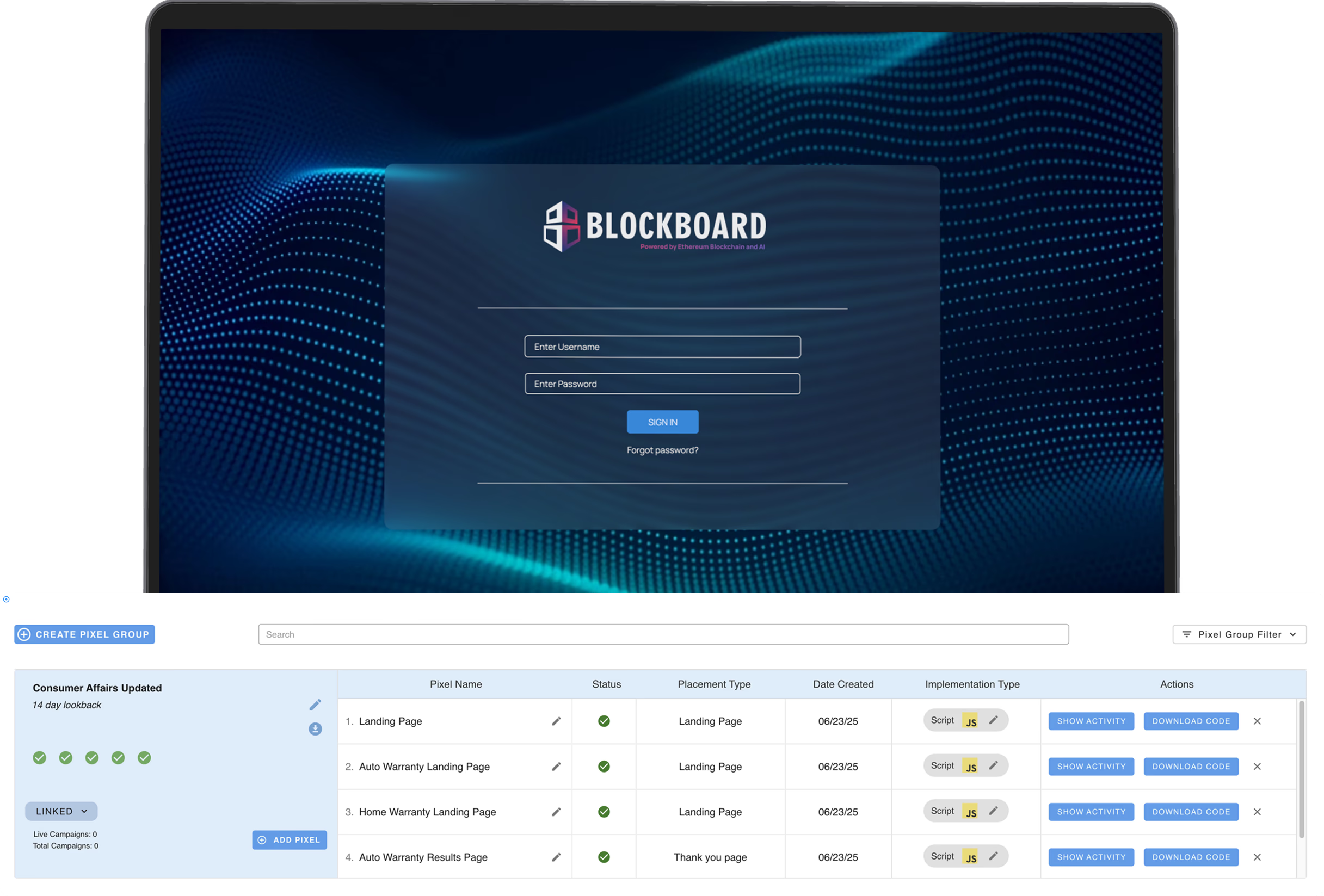
Users couldn't deploy tracking pixels without calling support. The tool that was supposed to be self-service was generating more tickets than any other feature on the platform.
Non-Intuitive Interface
Too many deployment options presented at once, causing analysis paralysis.
No Deployment Confirmation
Users had no way to verify if their pixels were actually working.
Support Overload
80% of tickets were pixel-related, drowning account managers.
Redesign BlockCONNECT, the pixel deployment tool within Blockboard's broader DSP platform—to reduce the 70% of account management's dedicated support time by improving the overall UX while maintaining the technically accurate system and third-party integrations.
If a user needs to call support, the interface failed.
The core challenge was translating scattered user complaints and support tickets into specific design solutions that would actually prevent the underlying issues. This meant digging beyond surface-level frustrations to identify exactly where users were failing.
Preview Solution
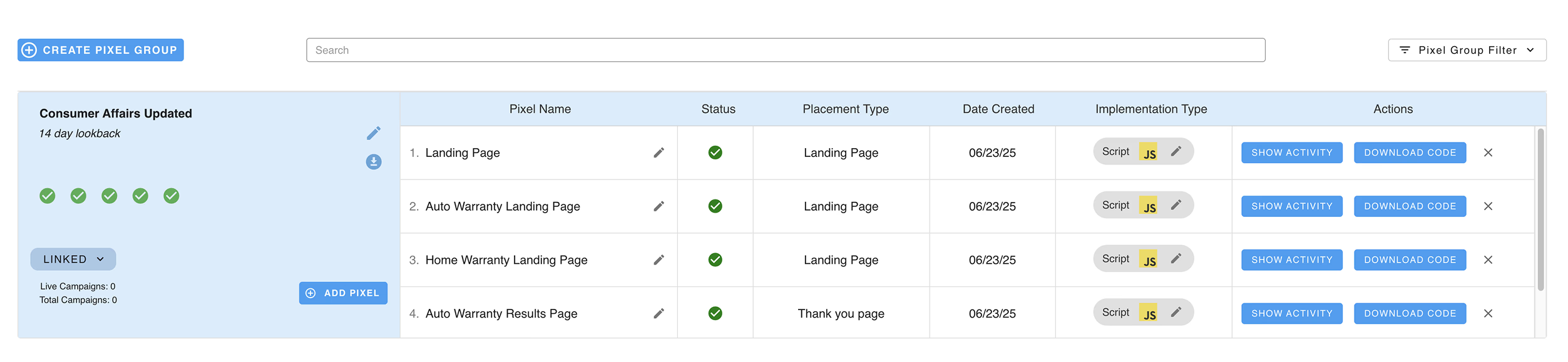
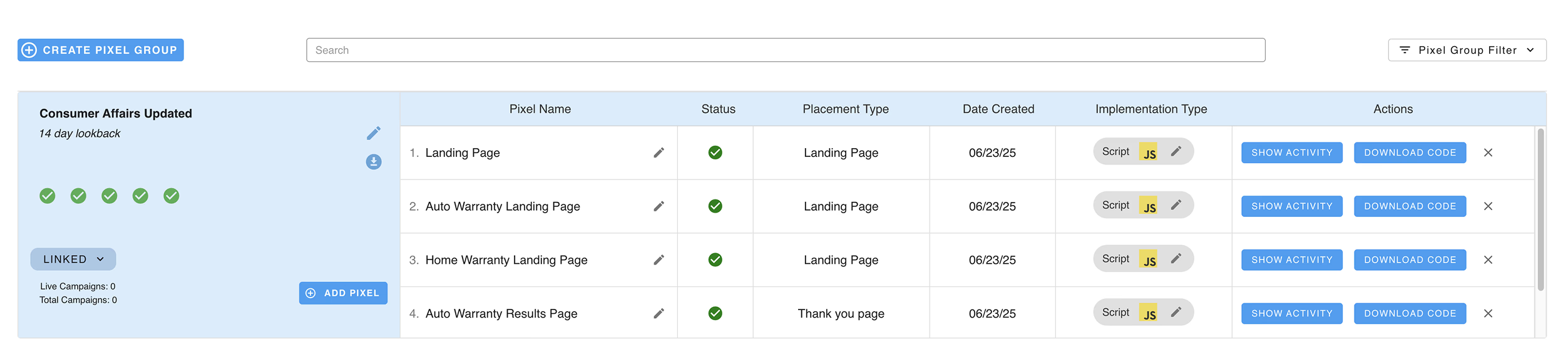
The redesigned dashboard replaces a restrictive one-group-at-a-time view with a scalable master-detail layout. Every pixel group is visible, searchable, and actionable from one screen.
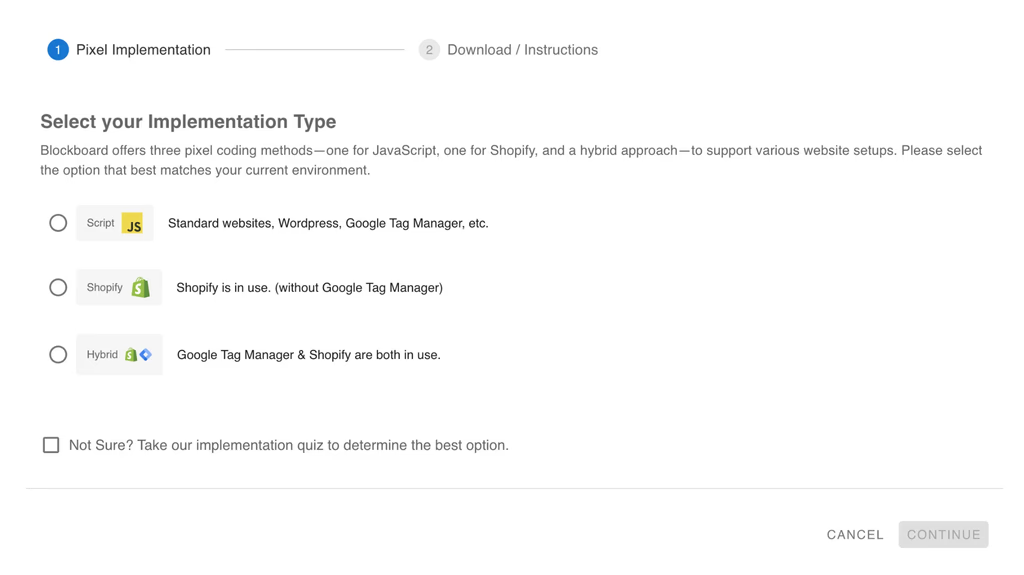
A guided setup wizard replaced the blank canvas. Users pick their skill level and the interface adapts—showing simplified steps for beginners and raw configuration for power users.
What's Pixel Deployment?
Tracking pixels are small snippets of code embedded on websites that collect data about user behavior—page views, conversions, and interactions.
For advertisers, these pixels are essential. They enable attribution tracking, audience building, and campaign optimization. Without proper pixel deployment, advertisers are essentially flying blind—spending money on ads with no way to measure what's working.
BlockCONNECT was built to be the central hub for all pixel operations within Blockboard's platform: creating, deploying, and monitoring every pixel from one place.

Blockboard is a demand-side platform (DSP)—a tool that enables advertisers to purchase, manage, and track digital ad inventory across multiple channels, programmatically, in real time.
In 2025, Blockboard won the Digiday Technology Award for Best Programmatic Platform—a recognition that the product and the work behind it were heading in the right direction.
Design Overview
Joaquin from account management kept flagging the same thing: clients would call in confused about their pixel groups, unable to find what they needed. I pulled the support ticket data and the pattern was obvious—the same three or four questions, over and over.
The old dashboard showed one pixel group at a time with a decorative graphic taking up half the screen. Global actions were buried. If something wasn't clear, users didn't experiment—they called support. Or worse, they stopped using the platform entirely.
I decided to overhaul the entire layout. The new dashboard uses a master-detail view—all pixel groups visible in a left panel, details on the right. Global actions moved to the top where they belong. The decorative graphic was replaced with actual data.
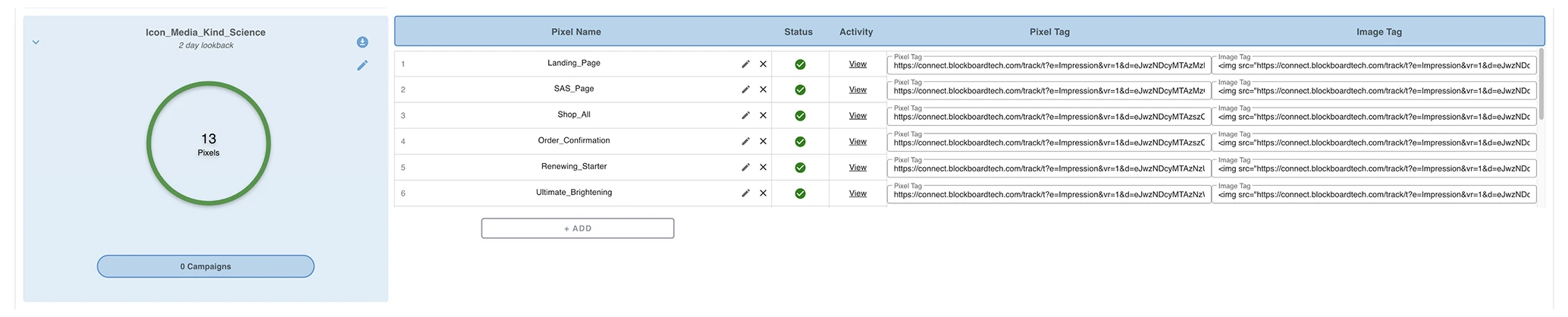
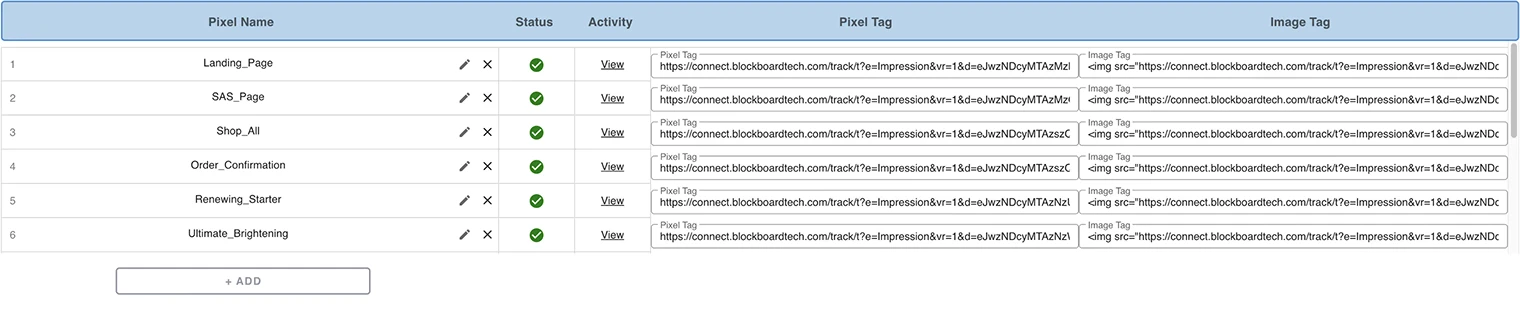
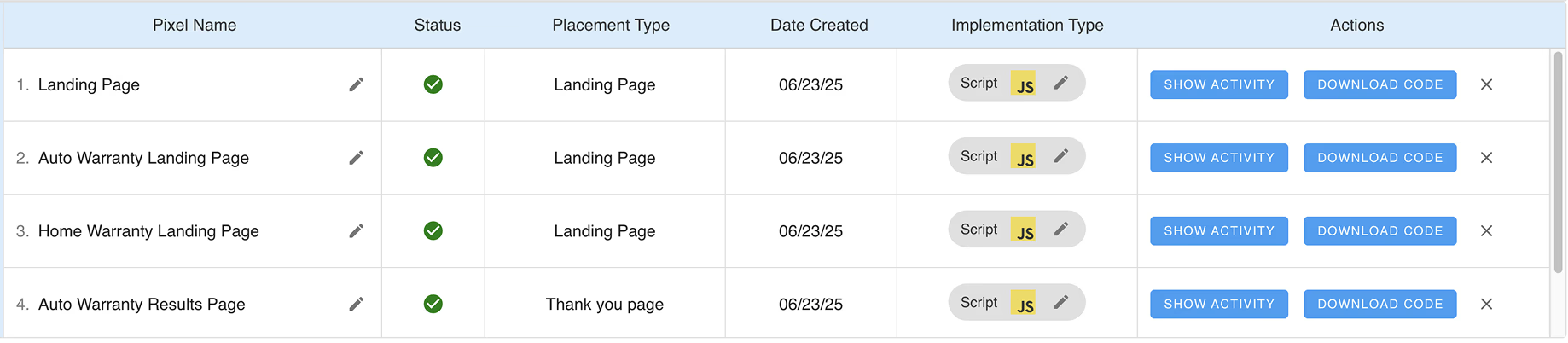
Once users got past the dashboard, they hit the pixel detail tables. These were a mess—long unformatted URLs stretching past the viewport, no grouping, no hierarchy. Every row looked the same. Scanning for a specific pixel meant reading line by line.
I stripped out the noise. URLs got truncated with copy buttons. Status indicators moved to the left so you could scan vertically. Related pixels got grouped under collapsible headers. The goal was simple: if you can't find what you need in three seconds, the table failed.
There was no setup wizard. No guided flow. When a new user landed on BlockCONNECT for the first time, they saw raw configuration fields and a blank canvas. No context for what each option did, no indication of which deployment method matched their use case.
I built a multi-step wizard with branching logic. First question: what's your technical comfort level? Beginners get a simplified path with plain-language explanations. Power users get an expert mode that skips the hand-holding. Both paths end at the same destination—a correctly configured pixel—but the journey matches the person taking it.
No setup flow existed
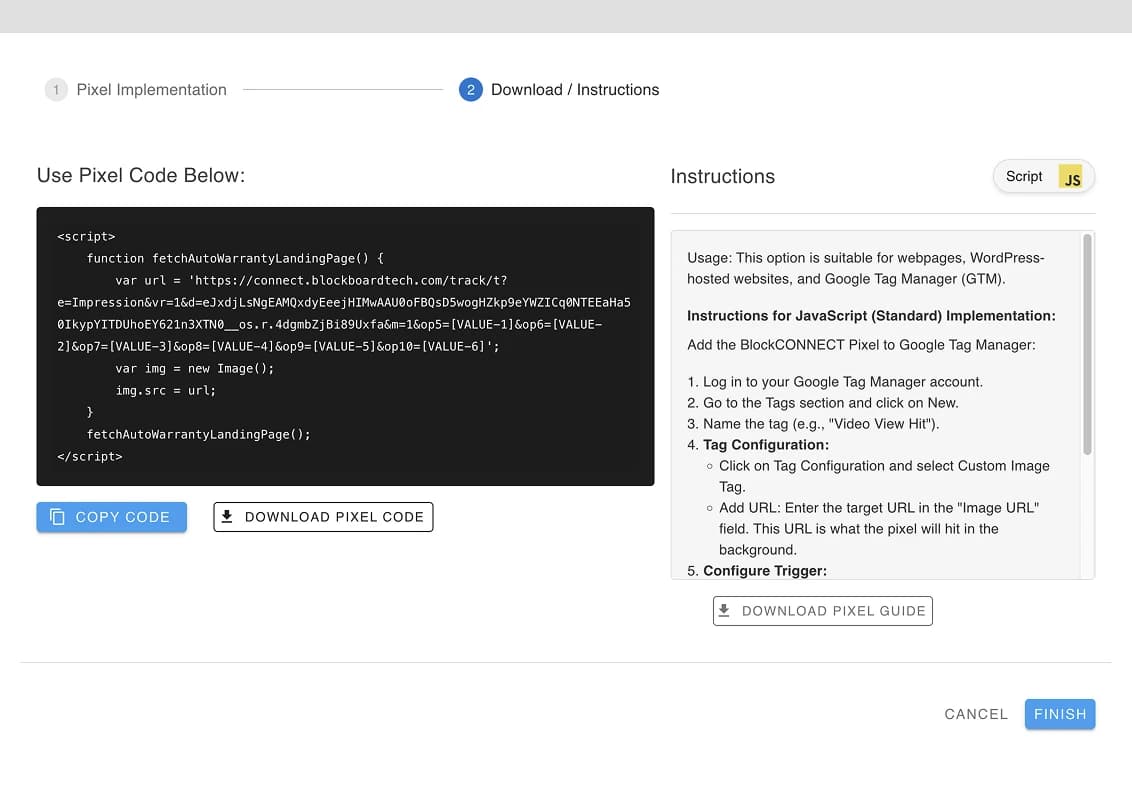
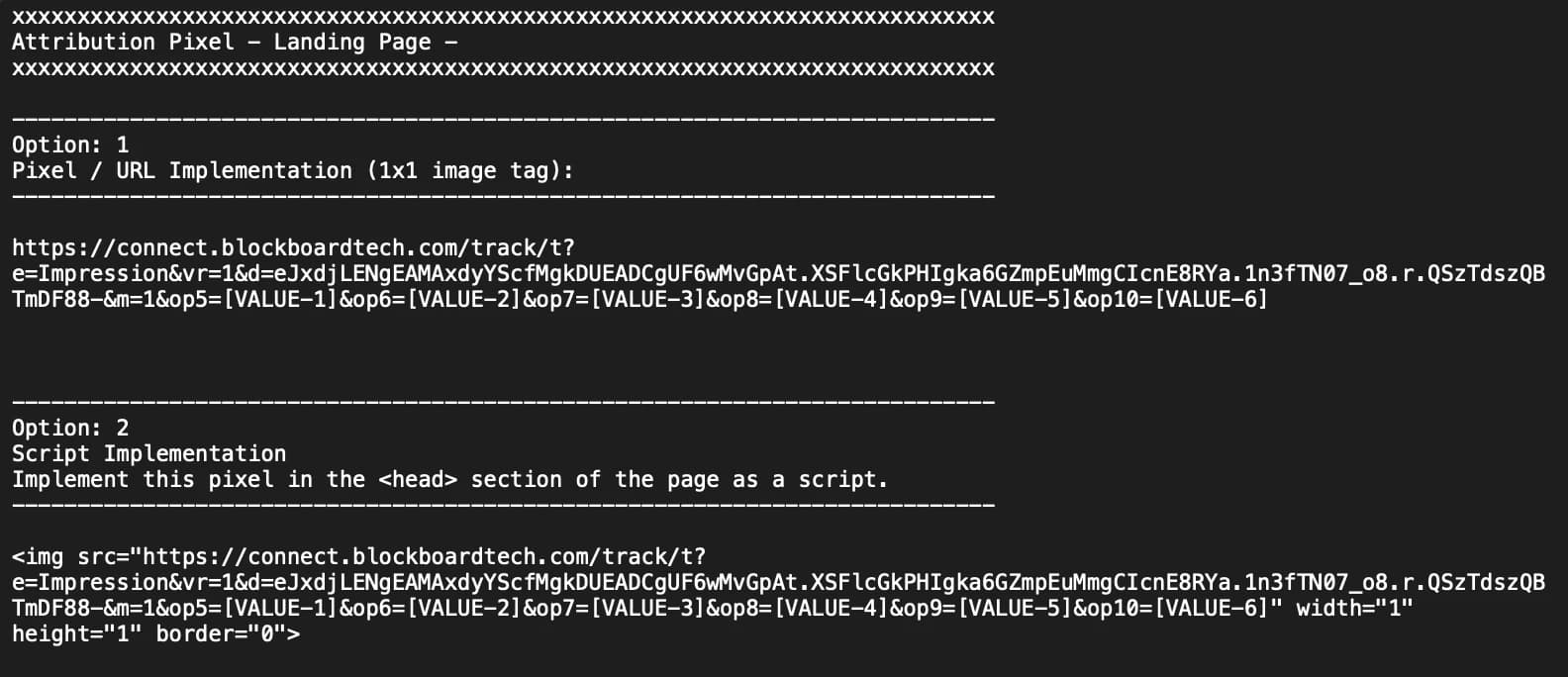
The final step of pixel deployment was the worst: copying a code snippet. The old interface dumped raw, unformatted text into a box with no syntax highlighting, no line numbers, no copy button. Users had to manually select everything, hope they didn't miss a character, and paste it into their site.
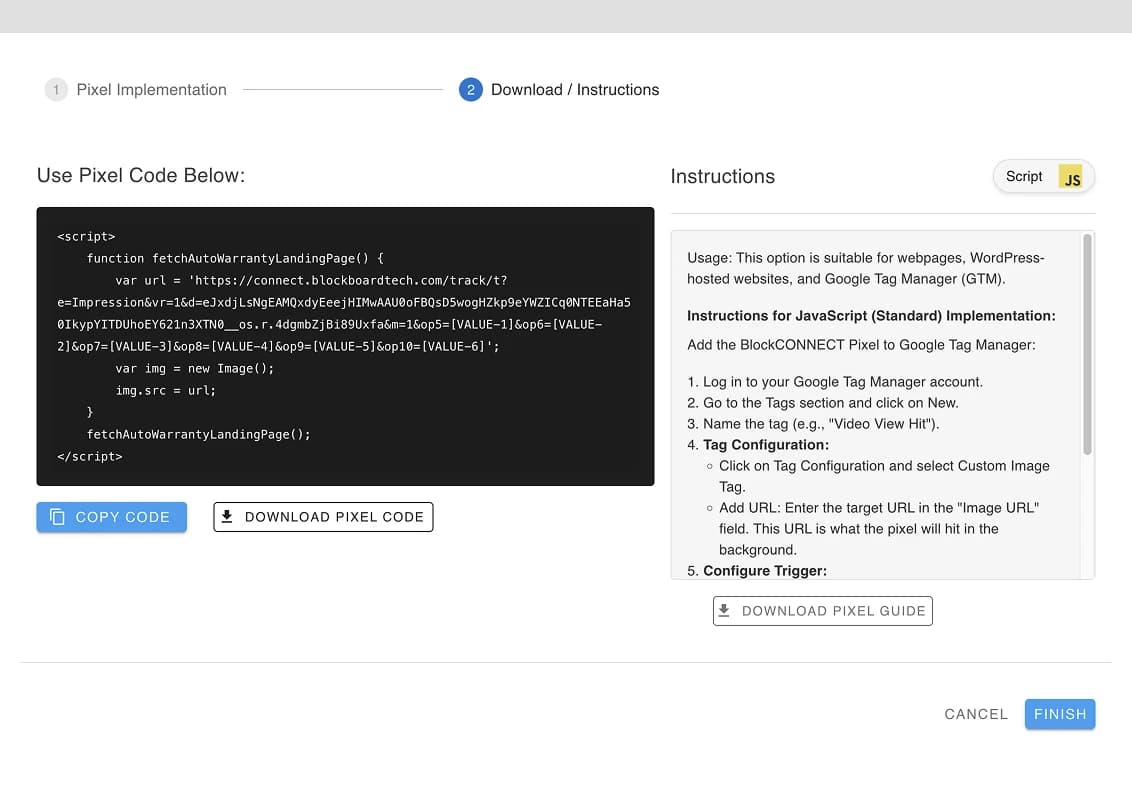
I redesigned it into a two-column layout. Instructions on the left, formatted code on the right with syntax highlighting and a one-click copy button. Sounds basic, but this was the step where most deployment errors happened—a missed closing tag, an extra line break. Making the code readable and copyable eliminated an entire category of support tickets.
Outcomes
decrease in pixel-related support tickets
The component-based design system and clear interaction patterns cut iteration time between design and engineering. Fewer ambiguous specs meant fewer rounds of revision.
Blockboard won the 2025 Digiday Technology Award for Best Programmatic Platform. BlockCONNECT's redesign was part of the broader product improvements that earned that recognition.