AI Product Design
BlockVantage
From a website URL to a live streaming-TV campaign, with the AI doing the setup
A 0→1 product on Blockboard's engine, inventory and design system for an advertiser who has never bought media. A streaming-TV campaign is too much to set up by hand. BlockVantage earns a first-time advertiser's trust by recommending, showing why, and staying open to change.
AI Product Design · Interaction Design · AI UX
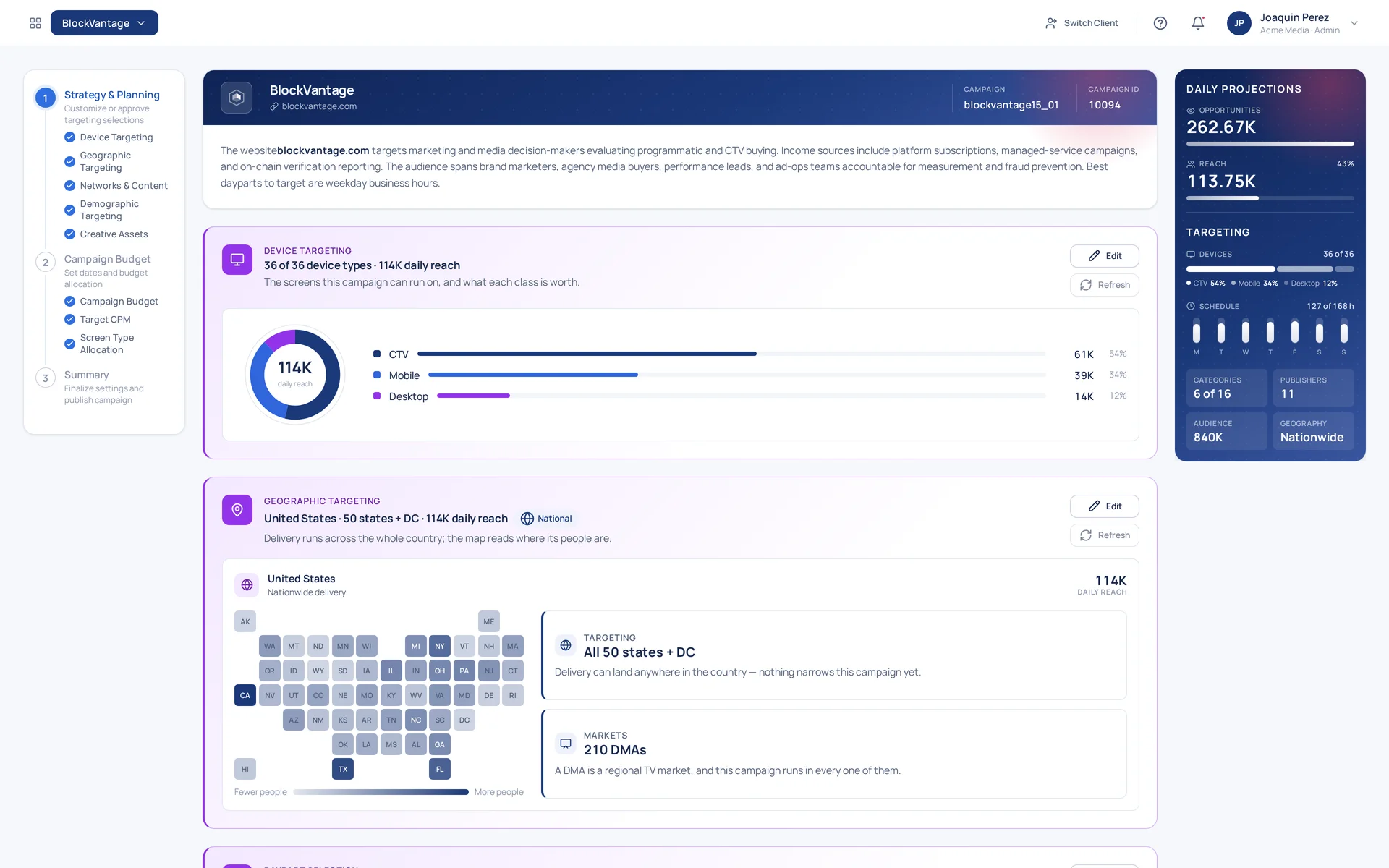
A streaming-TV campaign has more decisions in it than a first-time advertiser expects: which audiences to build, which publishers and content to run against, which devices, which hours of which days, which parts of the country, and how to split the budget across all of it. On the platform media buyers use, each of those is its own screen.
Too much to understand, let alone to configure.
A new product designed from zero on Blockboard, the platform those buyers use: same engine, same inventory, same design system, with a front door for someone who has never bought media.
- •The on-ramp: a website and a budget open a campaign
- •The wizard: the AI reads the site and sets up devices, geography, dayparts, content and audiences, each pick counted and correctable
- •The summary: a read-only page, so what gets published is what was reviewed
- •After publishing: the Performance board and the scheduled reports that show what the recommendations did
A first-time advertiser cannot check the AI's work, so the product has to earn their trust without asking for it.
How does a product earn trust it cannot ask for?
Industry background
The advertising intelligence gap.
Blockboard is a programmatic media platform — AI-powered, blockchain-backed, built around trust-verified ad delivery. The company serves mid-market agencies and brands running campaigns across streaming TV and digital channels.
BlockVantage is a product inside that ecosystem. It takes the data intelligence that powers Blockboard's ad buying and packages it as a self-service tool.

Parent brand

The product
The differentiator
Everybody else built a chat window
Before deciding what to design and build, I surveyed the competition to see what other DSPs in the ad tech space were proposing as their solution. It was still early days. The few I found integrating AI into their systems had all built the same thing: a chat window where the user asks questions and chunks of text stream back in response.
It gave the appearance of knowledgeability. It also looked confusing — and the people it was pointed at were beginners, who had the least patience for it.
The on-ramp
Start from a URL
I wanted something more practical: something a customer new to ad tech could actually engage with. A new campaign asks for three things: the brand's name, its website, and a starting budget. That is the whole form. Everything else is inferred, and everything inferred is shown.
I wanted something interactive, visual, and practical with no walls of text.
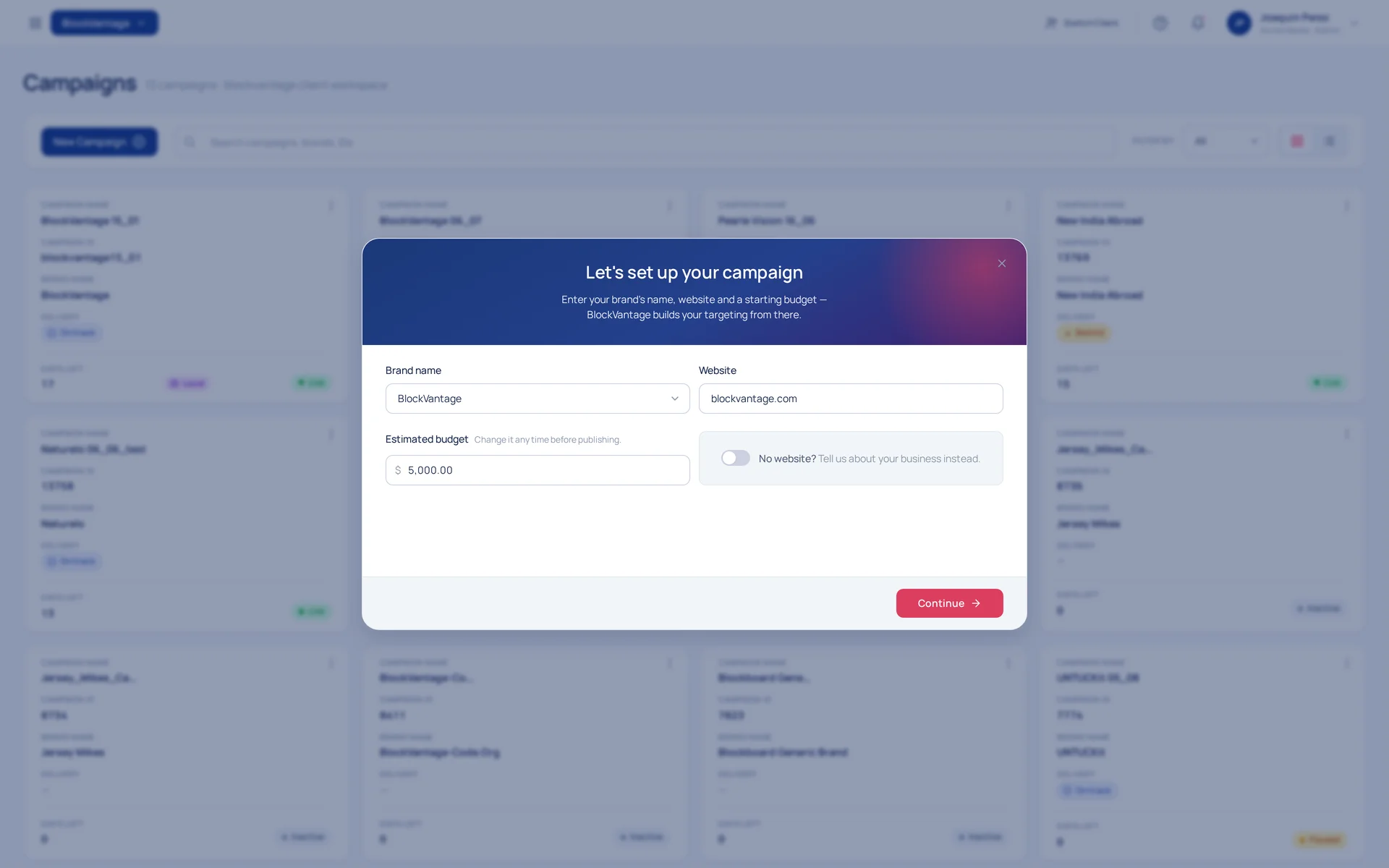
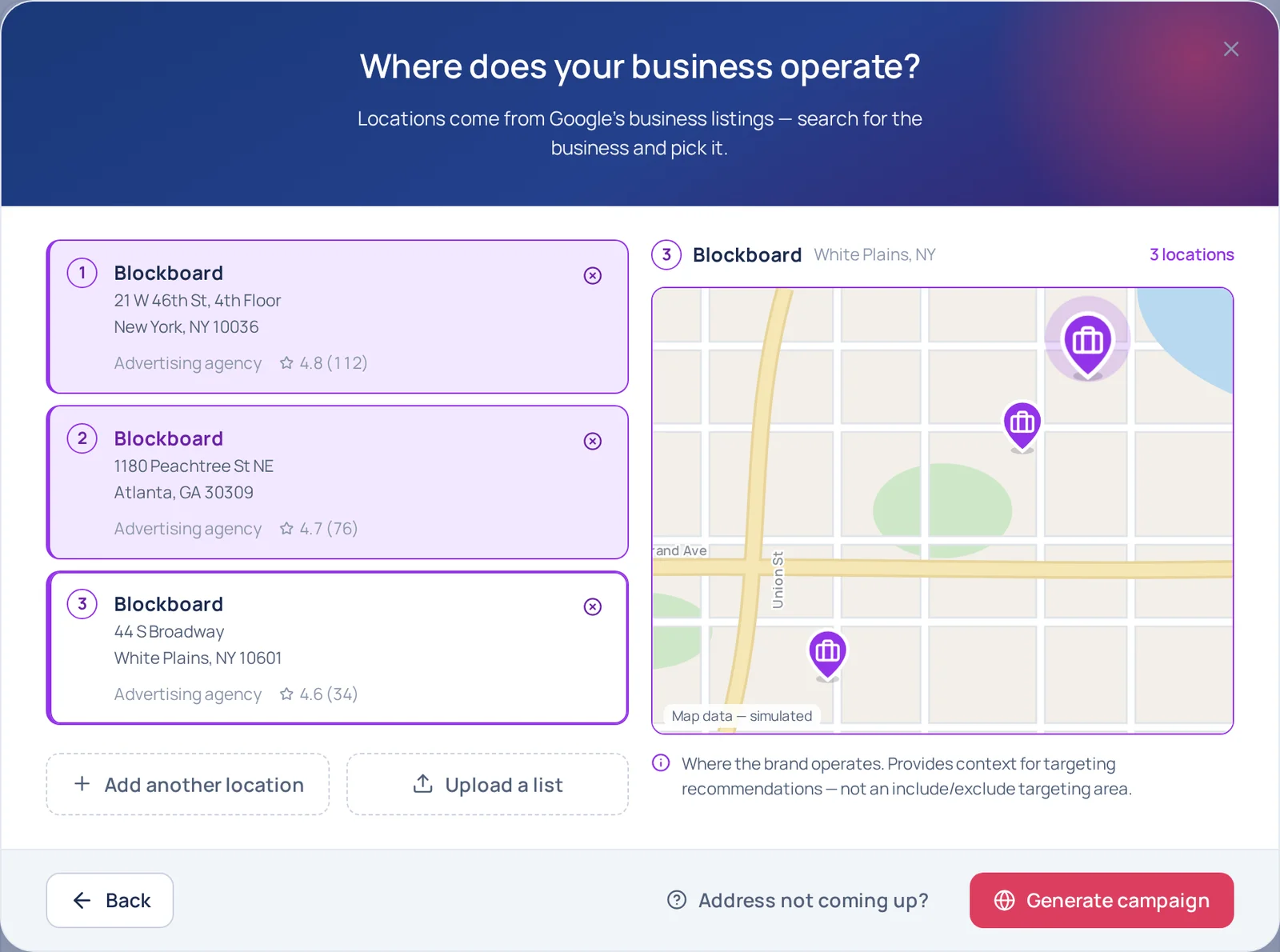
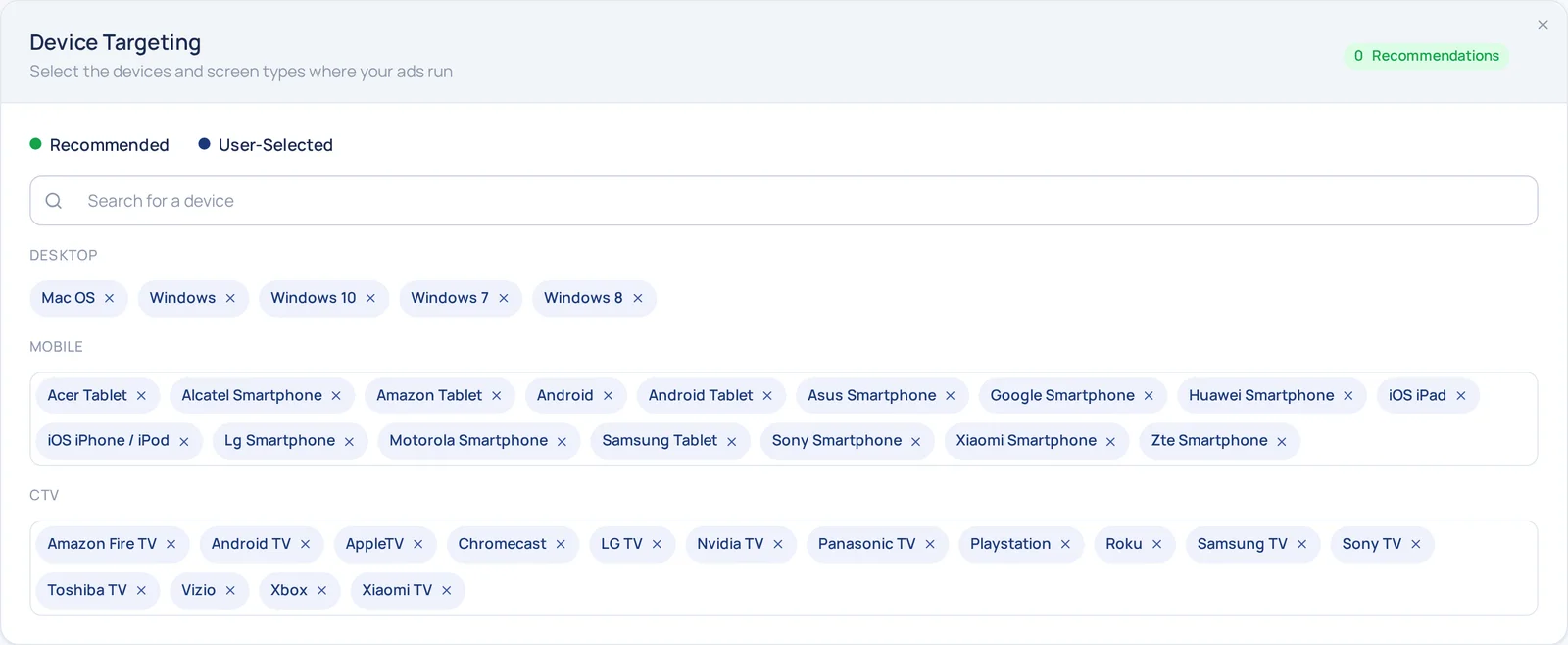
Campaigns are assumed to run at the national level by default, but if a user has a brick-and-mortar location the system prompts them to select their business addresses for localization purposes.
Step 1 · Strategy & Planning
Approve or correct, one card at a time
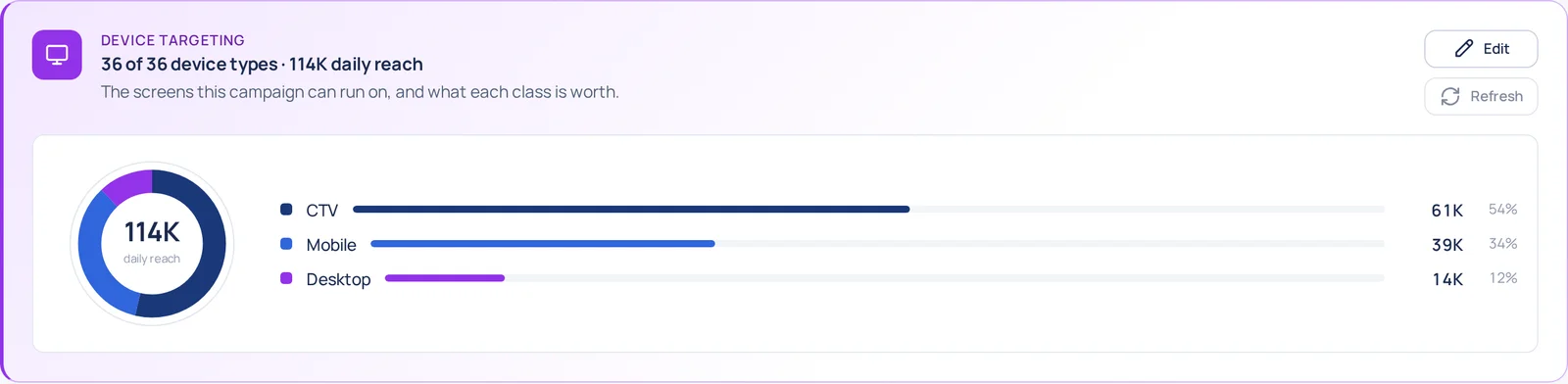
For each category, we show a visual representation of the system's recommendations that is easy to grok at first glance. Every card can be edited, and every edit moves the projections beside it. The AI goes first; the advertiser has the last word.
The brand read
Constant feedback, optional editing
It is the first thing the product asks the advertiser to trust.
The wizard opens on a paragraph the advertiser didn't write: what the site is, who it reaches, how it makes money, and which dayparts suit it, read from the brand's own URL.

The recommendations
Building trust
A balancing act between information, action, and freedom.
The design idea is built around trust, with a bias toward action. We give the user information that looks — and is — authoritative, easy to understand and visually pleasing, but at the same time the user clearly understands they can drill down and edit their campaign at any time. The system is here to take the lead and help, not hide decisions under the rug.
Localization
Business locations
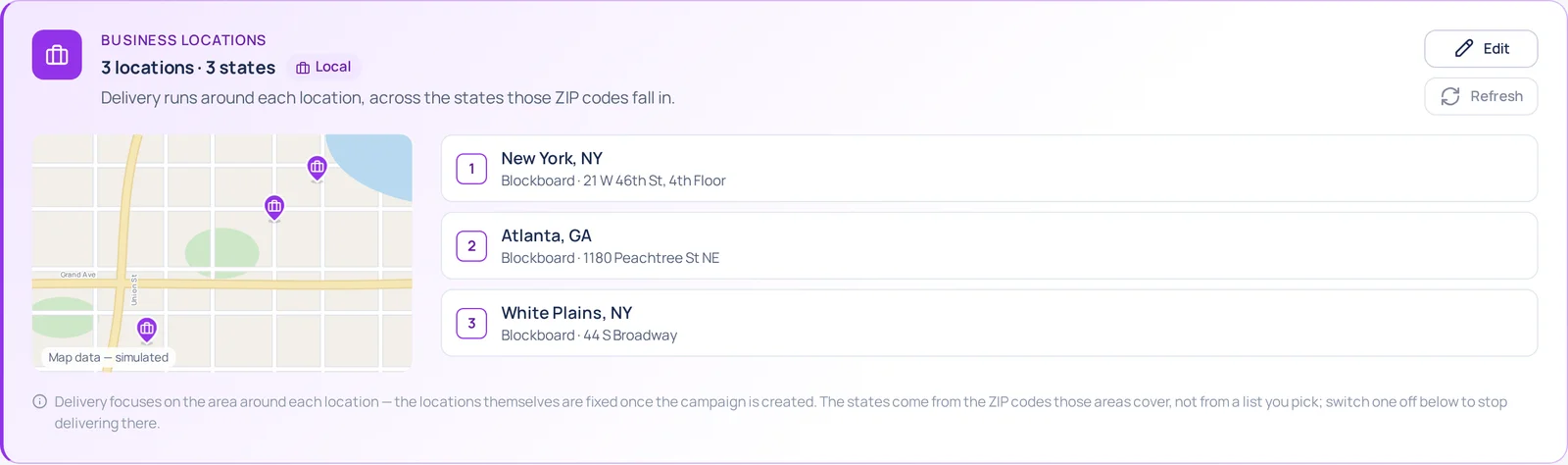
A local advertiser does not think in DMAs. They think in the places they operate out of.
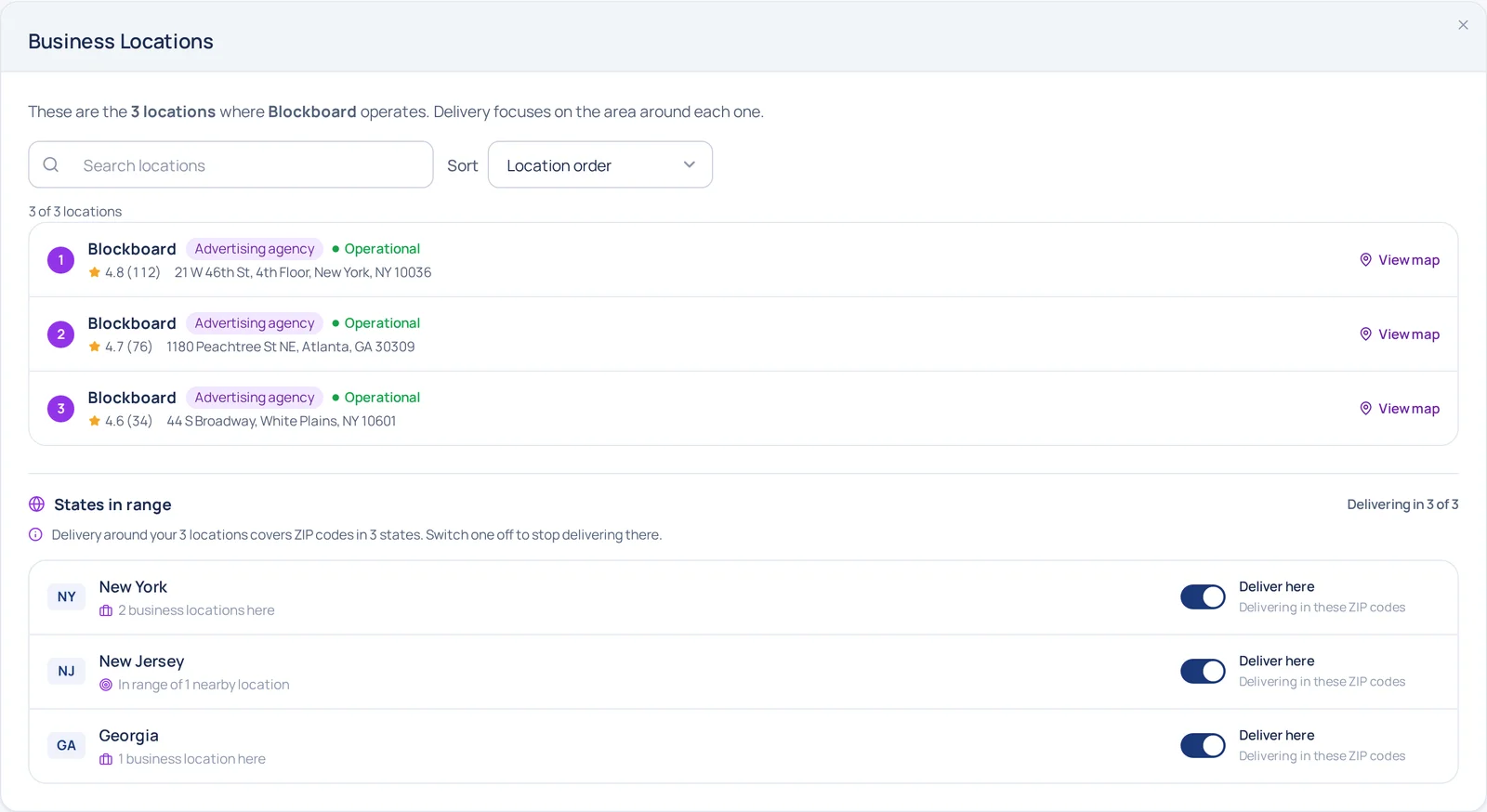
This campaign was opened by adding Blockboard's three offices from Google's own business listings, so geography arrives as addresses. The optimal delivery radius around each one is derived from a ZIP-code-based population estimate.
Audience building
BlockAI, the audience segment generator
An audience segment is a group of people described by something they have in common, written so a buying system can match it. It is not a list of names and not a file anyone uploads — it is a description.
Typically, audience segments are made from third-party data that is paid for, but not verified. The age and relevancy of the data behind a segment could be old and off base, but we had a solution.
The signal intelligence solution
The system reads the web for intent — the signals people leave while they are trying to do something, rather than the words on any one page. Those signals cluster into shapes. Your sentence is read for what it means and scored against those shapes.
You type · one sentence, no syntax
small businesses that have never bought TV
What the system reads
- 1Read the web for intent. Not a keyword list — the signals people leave while they are trying to do something: what they search, what they read next, what they compare, what they come back to.
- 2Let the signals settle into a shape. One search is noise. The same behaviour, repeated and clustered over time, is a shape an audience can be cut from.
- 3Match the sentence against the shapes. The prompt is read for what it means, not for the words in it, and scored against those clusters. The overlap is the audience.
- 4Return it with a number on it. A segment nobody can size is a guess. What lands on the card is a description plus the reach it is worth, so it can be weighed against the rest of the buy.
Every piece of it stays removable
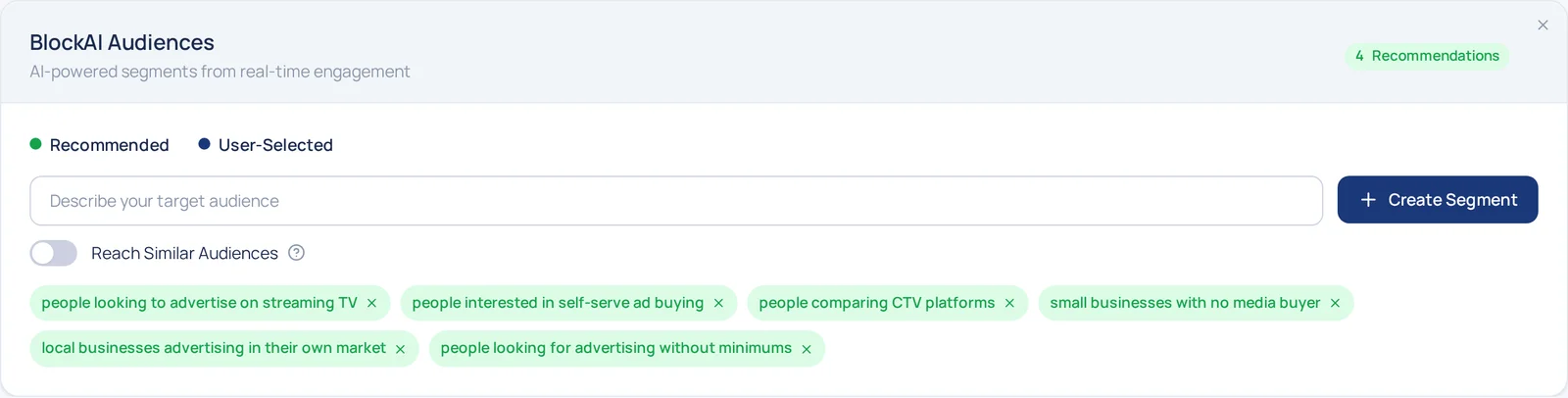
What the generator returns lands as individual chips, each with its own remove control, under a Recommended / User-Selected legend that keeps the model's four picks distinguishable from the ones the advertiser wrote. The whole set can be taken apart one at a time.
A recommendation you can delete is a recommendation that is safe to make.
Step 2 · Budget
Then the money, and what it moves
Step two is the spend: the flight, the total, the CPM it is bought against, and how it splits across screens.
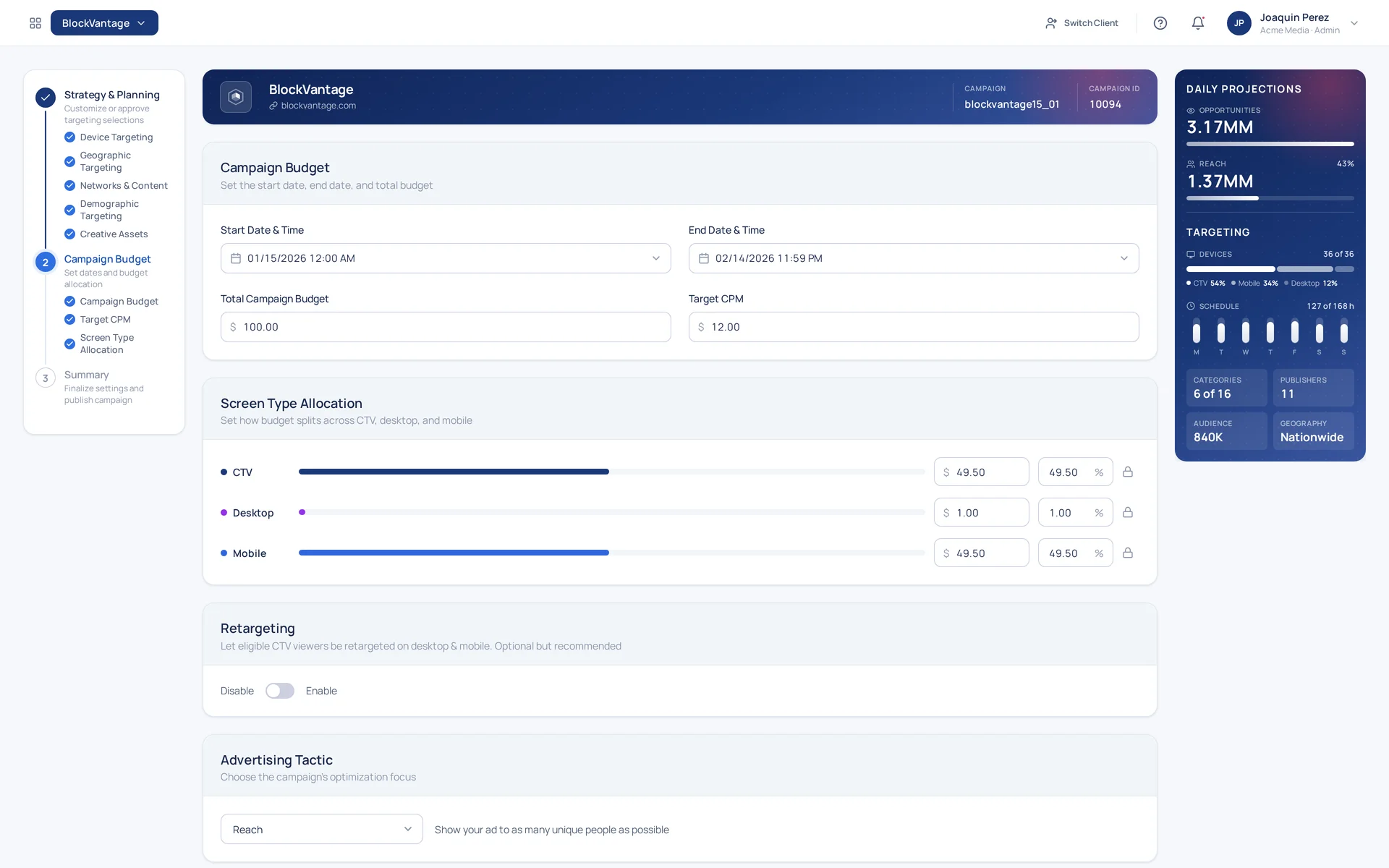
One field reaches back into step one
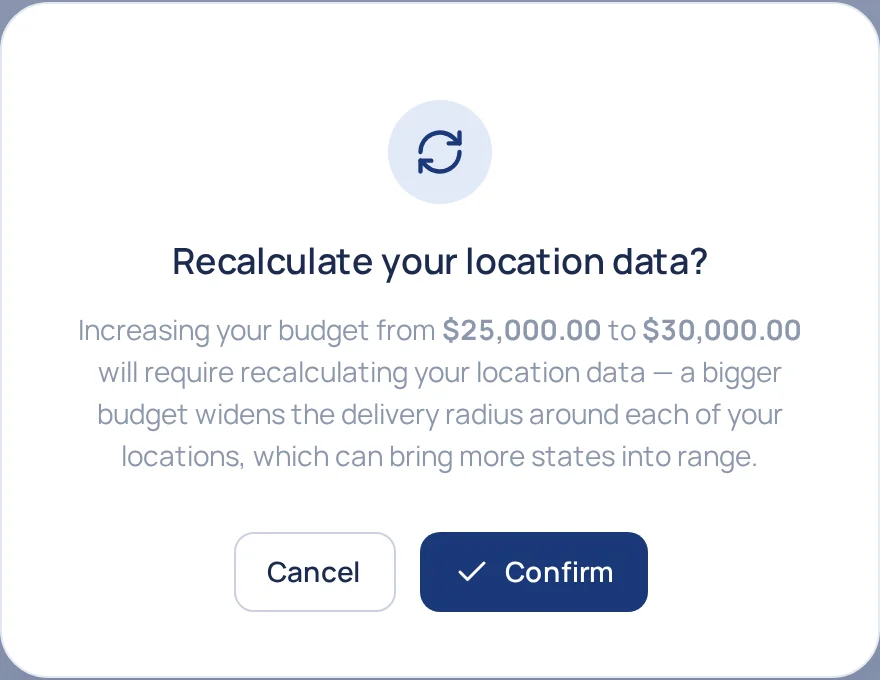
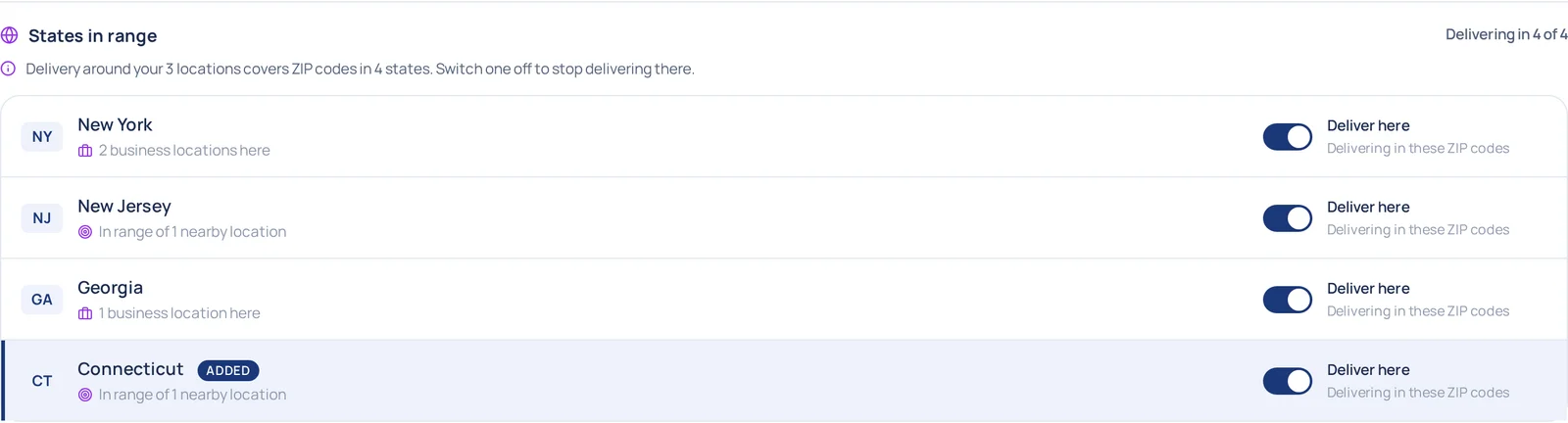
A bigger budget buys a wider delivery radius around each business location, and a wider radius can cross a state line. On a localized campaign the total is not only money — it is the map.
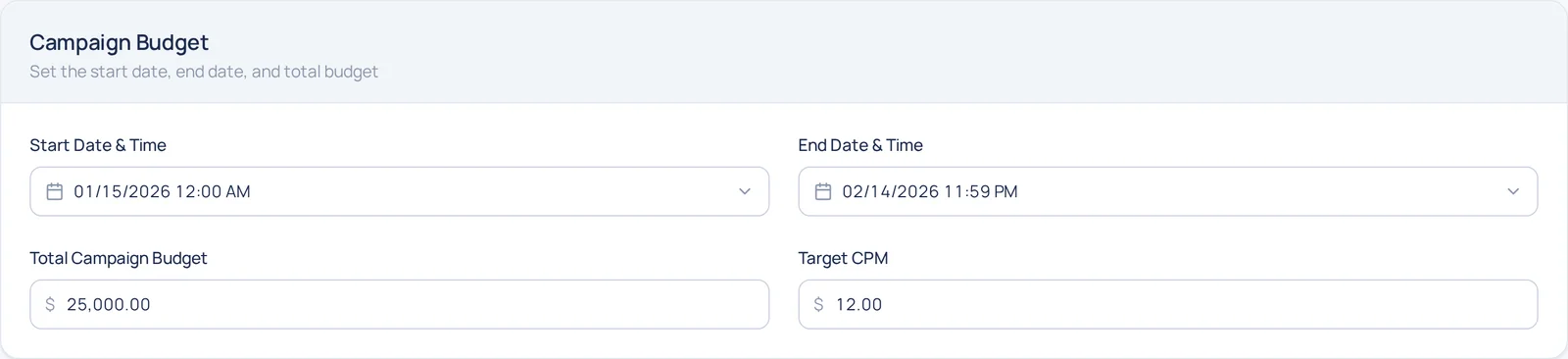
So adding $5,000 does not just take the number. The product says what it is about to do to the location data and waits — Cancel puts the old figure back. Confirm widens the radius and names what came into range.
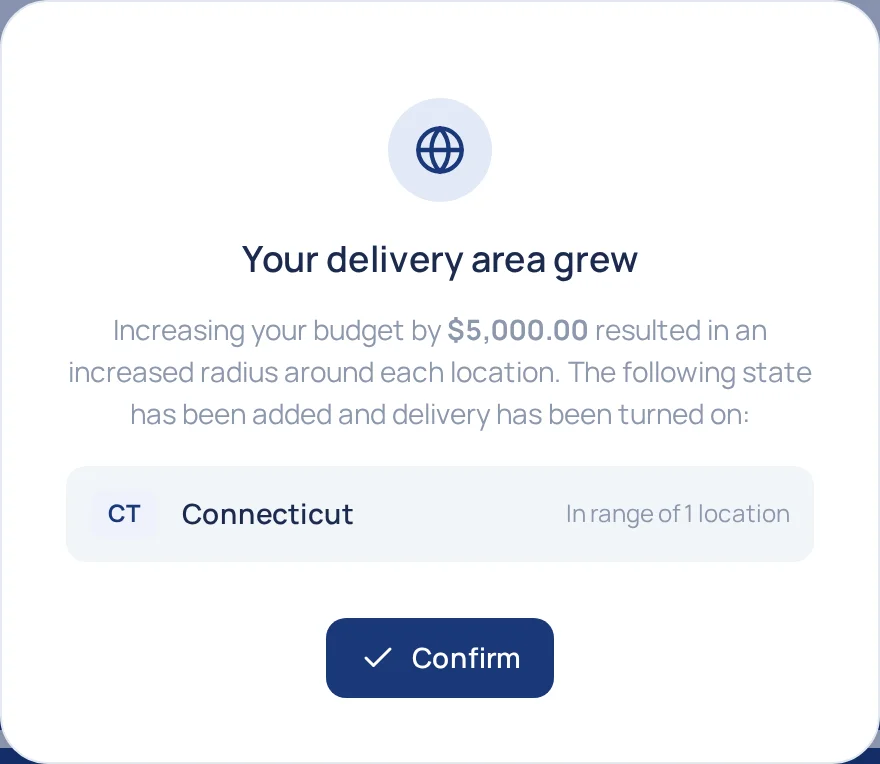
Then it puts the advertiser back on step one, on the list it changed, with the new state marked and its delivery switch on — where it can be switched straight off again.
After publishing
Once it is live
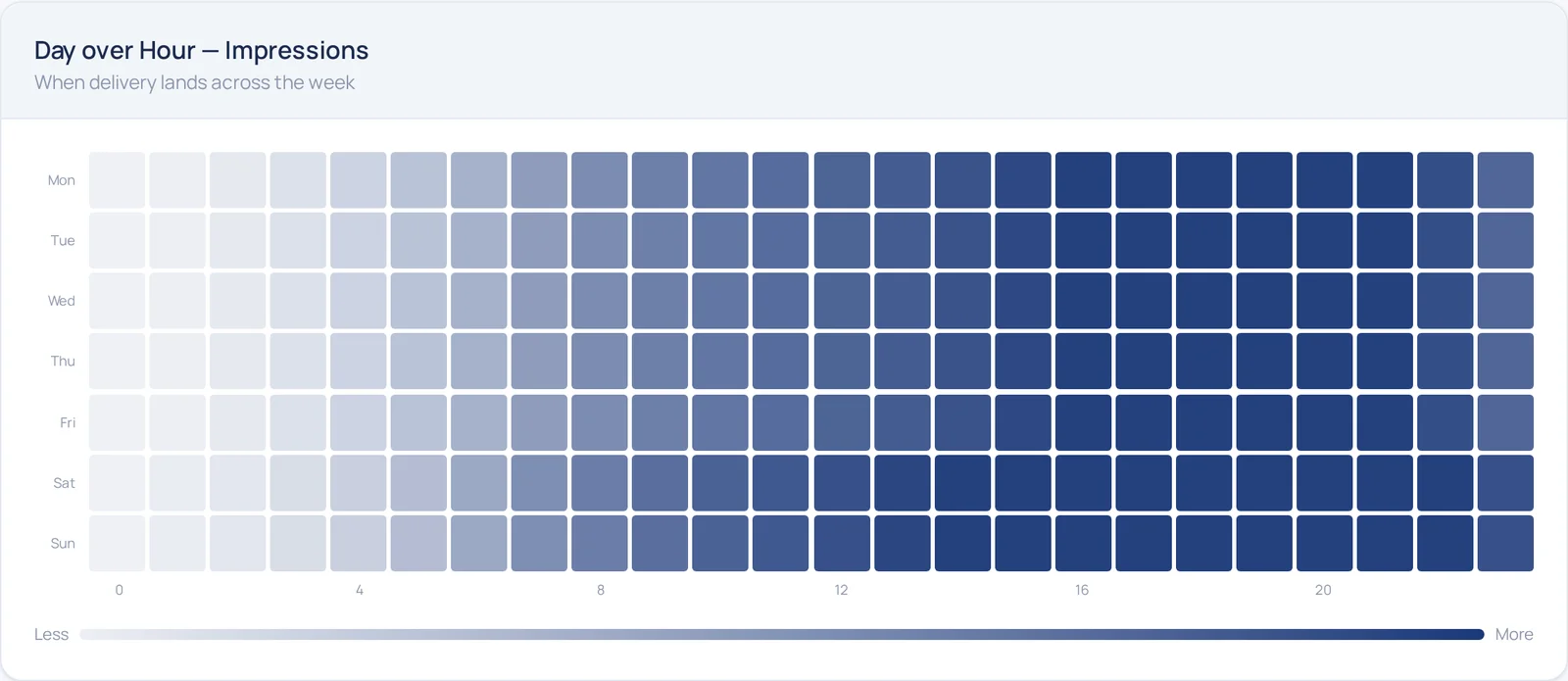
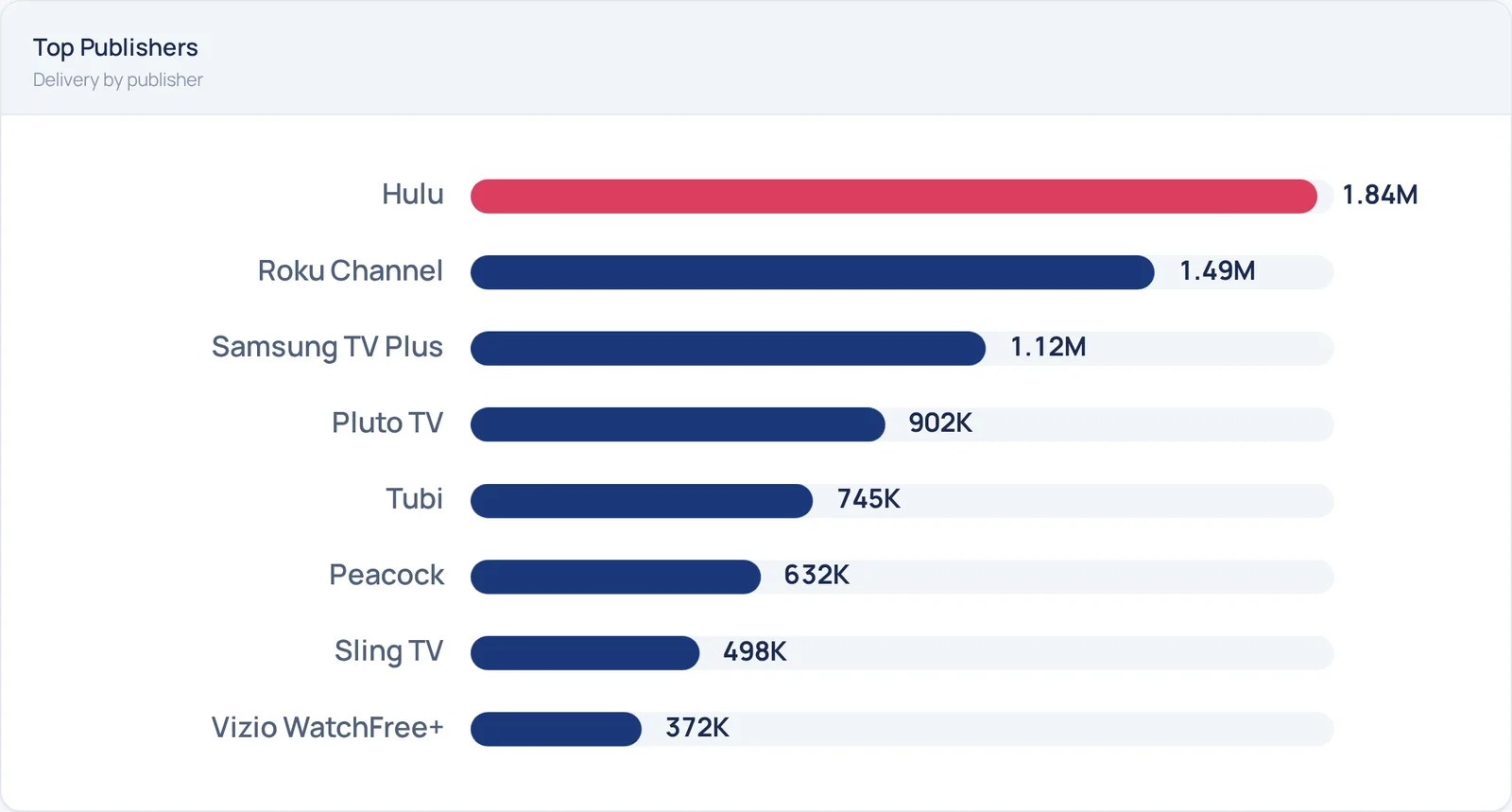
Publishing is where the trust gets tested. A first-time advertiser has just let an AI spend their budget on recommendations they approved, and the only thing that keeps that comfortable is seeing what happened.
Reports that come to you
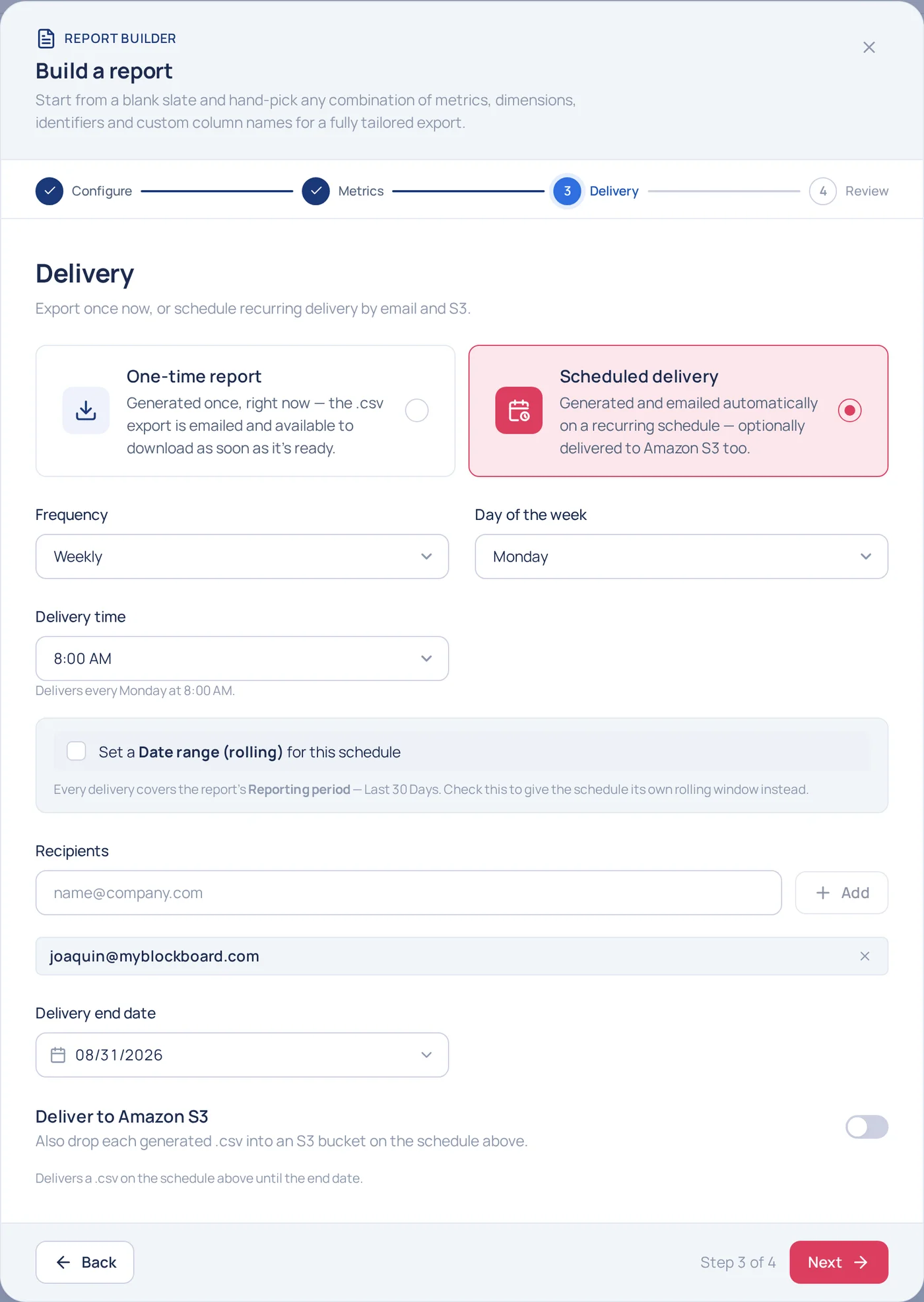
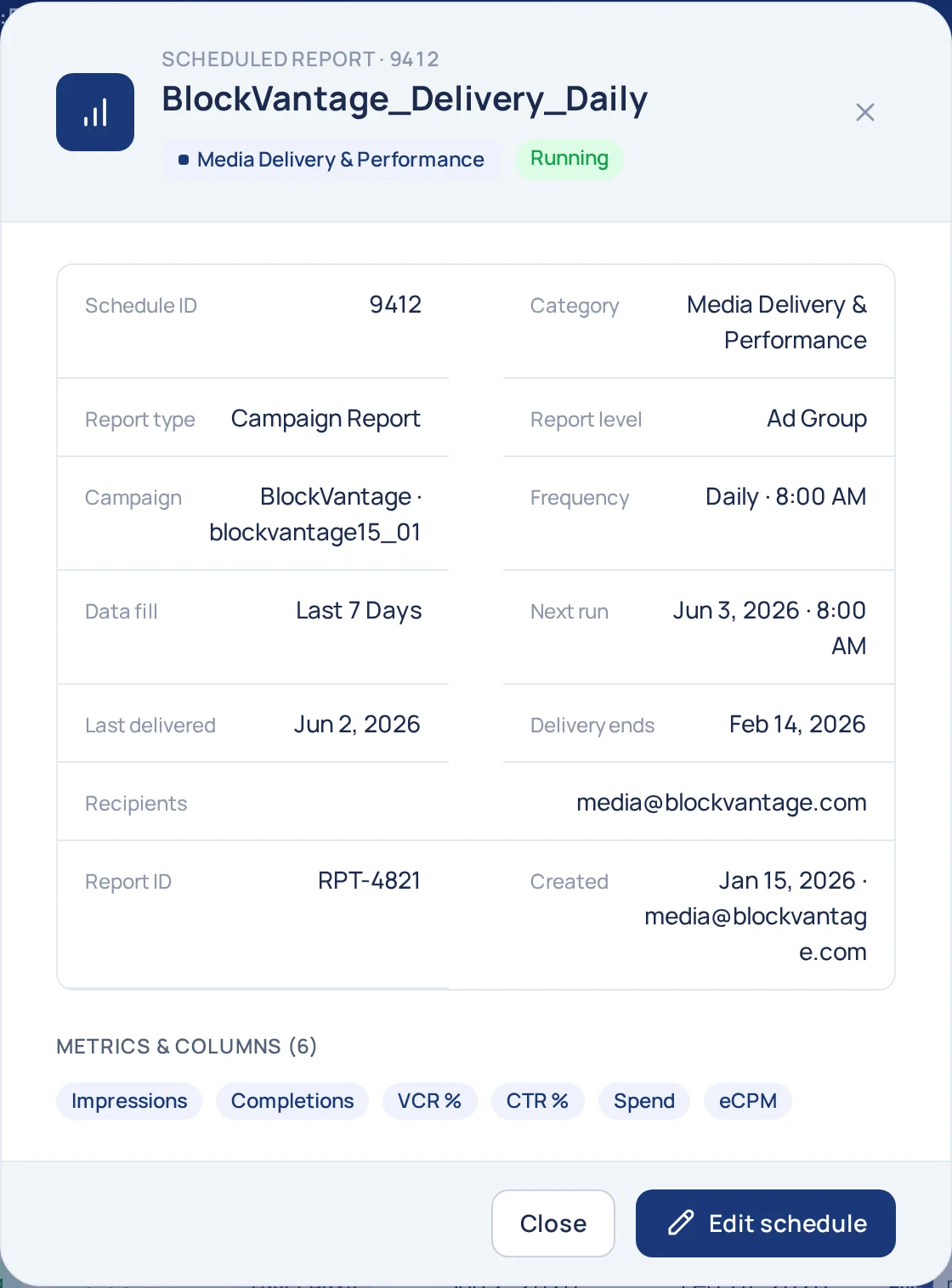
Without feedback, an advertiser is blind to what their money did. So the reports are theirs to shape: the builder asks what to include, how often it goes out and who gets it, and then it arrives on its own.
Outcomes
The results of trust.
The complexity of a streaming-TV campaign did not go away. It moved into the AI's recommendations, where each one is visible, counted and correctable. That is how the product earns a first-time advertiser's trust: it recommends, it shows why, and it stays open to change, so a first campaign is a review instead of a course in media buying.
An advertiser with a website and a budget gets a fully targeted campaign to review, with every AI pick shown, the reach projected beside it, and the results reported back once it runs. The numbers that say what that is worth:
75%
faster from URL to a published campaign
How much less time it takes an advertiser who arrives with a website and a budget to publish their first campaign.
82%
of AI recommendations kept as proposed
How much of the AI's targeting survives the review unedited, which is the measure of whether the recommendations are worth trusting.
0 → 1
first advertiser to onboard themselves
Blockboard had only ever sold enterprise: sales onboarded every advertiser and a media buyer built every campaign. This is the first advertiser to onboard themselves and publish alone, and the start of the move away from that model.