AI Product Engineering
BlockVantage Creative
Paste your website, get back an ad
A URL-to-ad studio inside the campaign platform, built on a vendor's video models rather than our own. The first cut was one call and the videos didn't work; the product became four steps the brand can see and correct.
AI Product Engineering · API Integration · Product Definition
An advertiser with no footage, no agency and no editor still needs an ad they would actually run. Give them every control and they freeze; take the controls away and the output is nobody's.
Keep enough options to meet a real need, and simplify the rest until making a video feels obvious.
Everything between a vendor's API and a rendered spot:
- •The first cut: one URL-to-video call, tried and replaced
- •Model selection: the vendor's text-to-video models run against the same product stills; Kling chosen for realism, motion and skin
- •Product definition: which decisions the brand makes and which the studio makes for them
- •The studio: a four-step flow from URL to :15, built and walked on a real site
I spent thirteen years cutting documentary and television before building software. The decisions an editor makes on instinct, framing, pacing and timing, each got a rule and a meter. The ones that don't matter got a default.
No minimums, no ad
BlockVantage sells streaming TV advertising with no minimums and no experience needed. That promise has a hole in it: a TV campaign needs a TV ad, and the advertisers most attracted by “no minimums” are exactly the ones with no footage, no agency, and no idea what a :15 is supposed to feel like.
Creative is how we closed it.
Scope
What I did here is integration and product definition, not model building. We were never going to train a video model. The job was to pick one, drive it hard enough to know its limits, decide which decisions the brand keeps, and build the interface around them.
Where it started
Straight URL-to-video didn't work
At first we tried a straight URL-to-video pipeline. It didn't work: the video looked terrible and users were just rolling the dice. We needed more customization, but we couldn't make things too complicated.
The call, end to end
The scan at step 1 and the script model at step 3 are their own small calls. Generate sends the one that makes the video: a request built from everything the four steps set, a job the rail watches, and a response that is the spot plus its parts.
Request · Generate sends one POST
Inside the call
- 1Check the request the way the meter did. Every clip has a move, every line fits its clip, and the seconds add up to the length.
- 2Render each clip. Image, crop and motion go to the video model, Kling, which returns a clip of the requested seconds. Four jobs, counted on the rail as they finish.
- 3Read each line. Text-to-speech turns the line into a voice file, if a voice was set.
- 4Compose the end card. Logo, call to action, QR code and background become a card that holds for its seconds.
- 5Cut it. Clips in order, each held for its seconds. Each voice file lands at the start, centre or end of its clip. Captions are burned in, music runs under, the end card closes it.
Response · what the rail is built from
Choosing the model
Each animated shot is rendered by a text-to-video model, and the vendor exposes a fleet of them. I ran the same product stills through every one and chose Kling by eye: the best mix of realism and motion, and skin tones that held up, which is where generated video usually gives itself away.
The Interface
Four gated steps
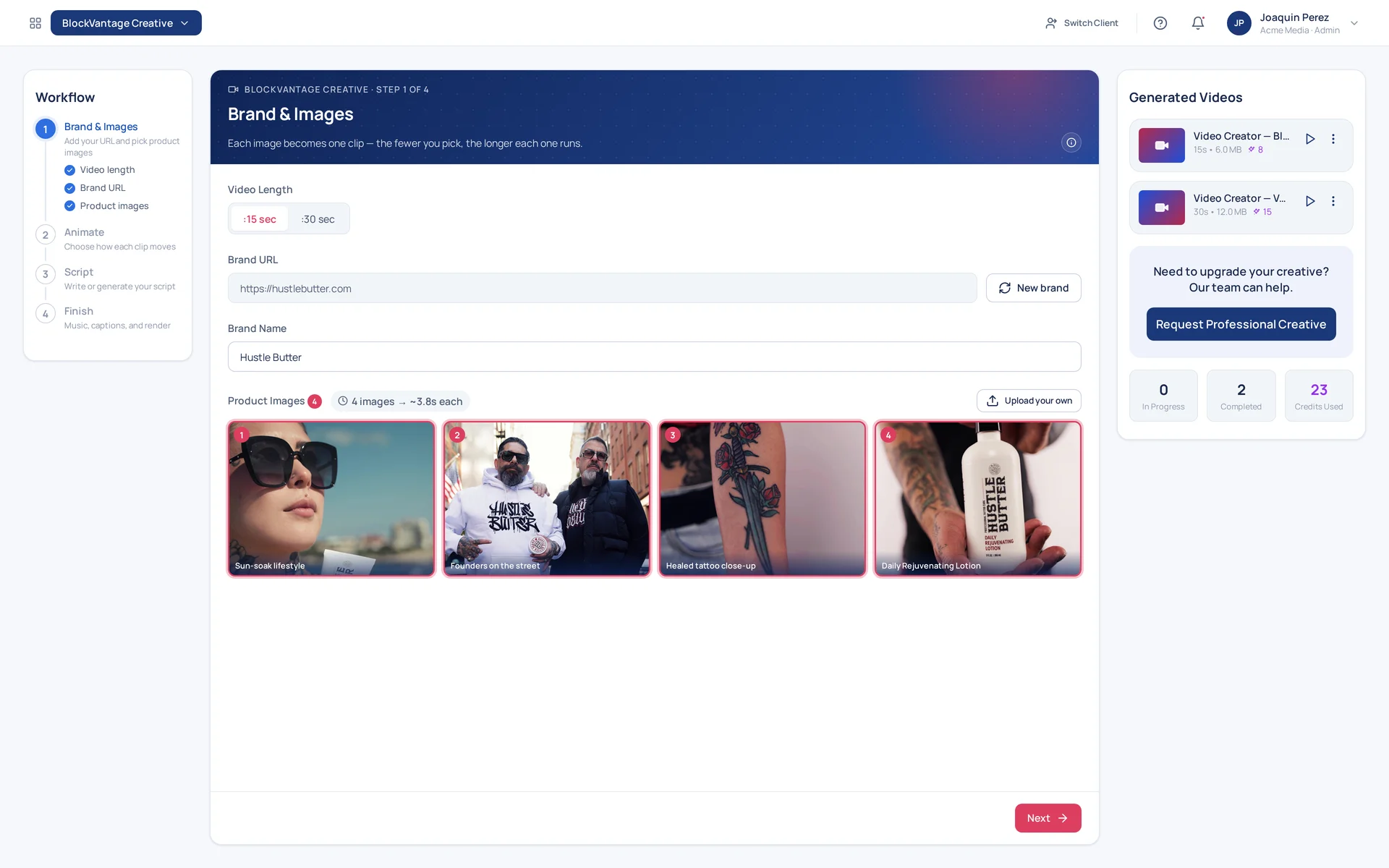
The studio walking a real public site, hustlebutter.com. Not a Blockboard campaign, and Hustle Butter is not a client — a real brand chosen because the tool's premise is that it should work on a site you didn't prepare.
Step 1 of 4
Brand & Images
The advertiser's first act is to approve or correct, rather than to produce.
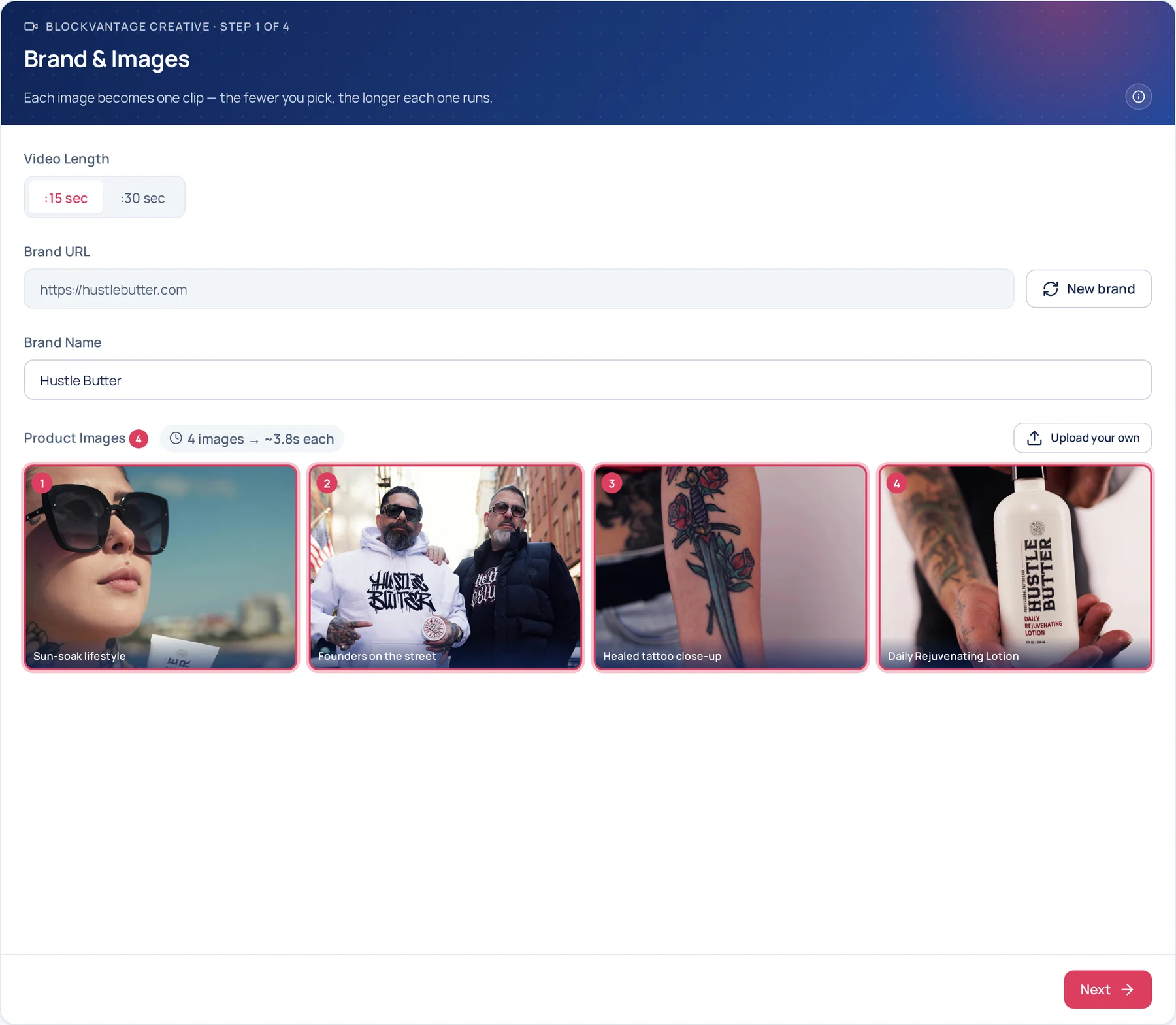
Video length is chosen first, :15 or :30, because it's the constraint that governs every step after it. Each image picked becomes one clip, and the arithmetic is stated where the choice is made: 4 images → ~3.8s each. Nobody has to divide anything.
Step 2 of 4
Animate
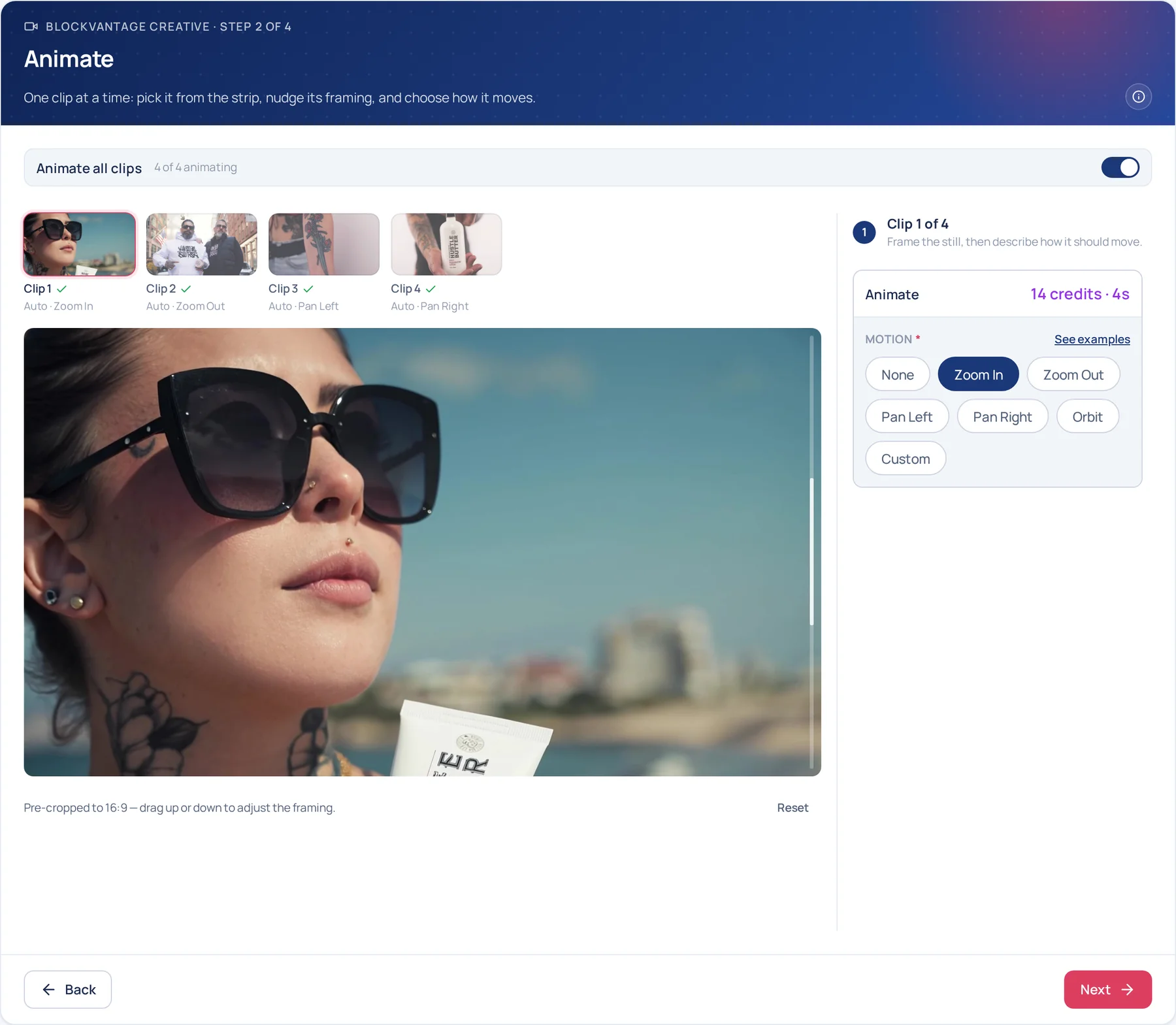
Without motion, four stills and a voiceover is a slideshow. This step is what makes it a video.
Each image becomes a clip. Pick it from the strip, drag to set what stays in frame, and choose how the camera moves: zoom, pan or orbit. A clip with no motion is a still, and the panel says so. A series of stills is like a PowerPoint presentation. Animation is key to creating a compelling ad.
Step 3 of 4
Script
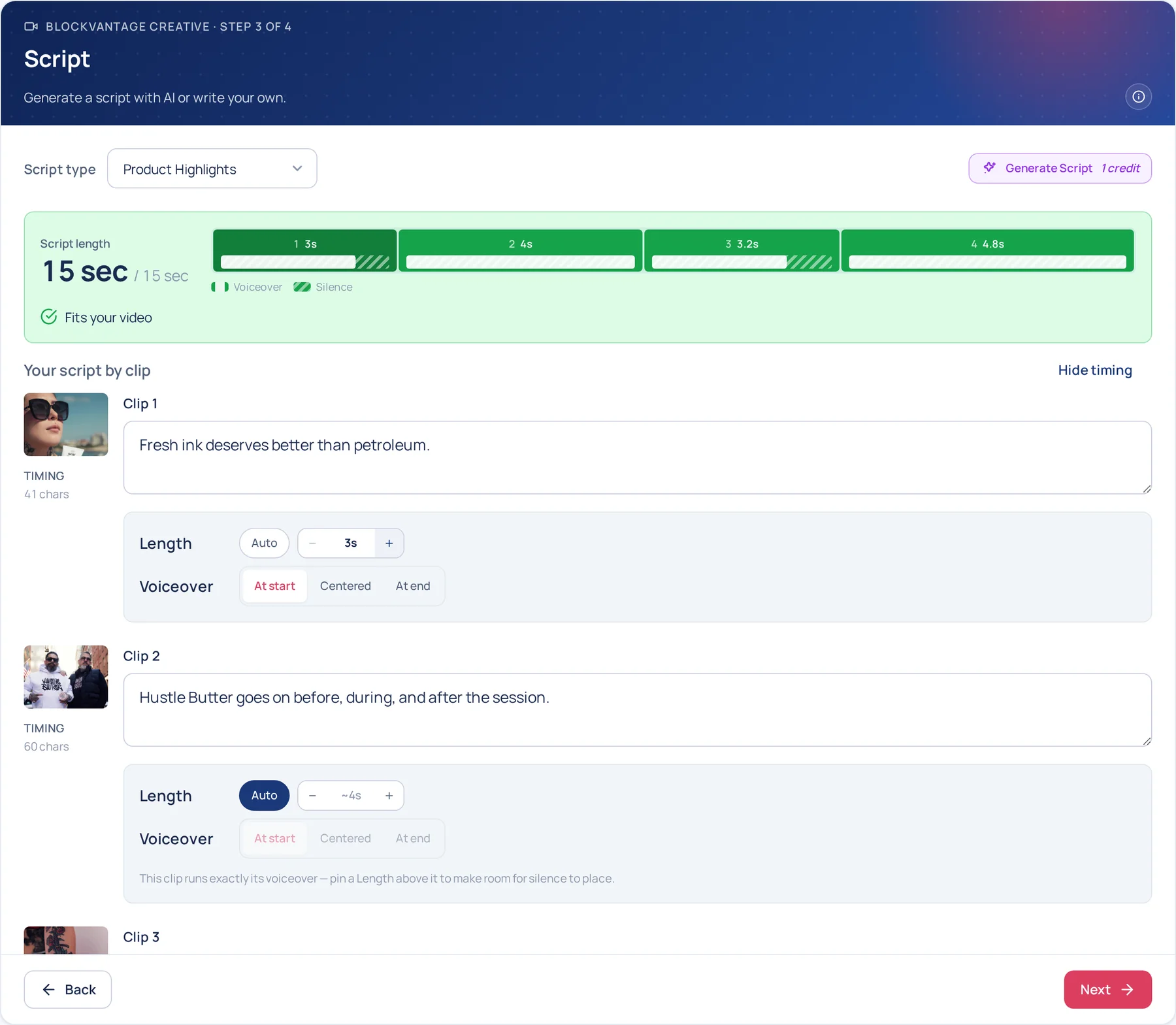
The script is written to the runtime, and the advertiser can shape the timing without ever seeing a timeline.
An editing timeline would give the advertiser every control, and most of them would close it. What they get instead is the two decisions that change how a spot feels, how long each shot holds and when the words land, inside a constraint that does the rest: if it doesn't fit in 15 seconds, the meter says so before anything renders.
Step 4 of 4
Finish
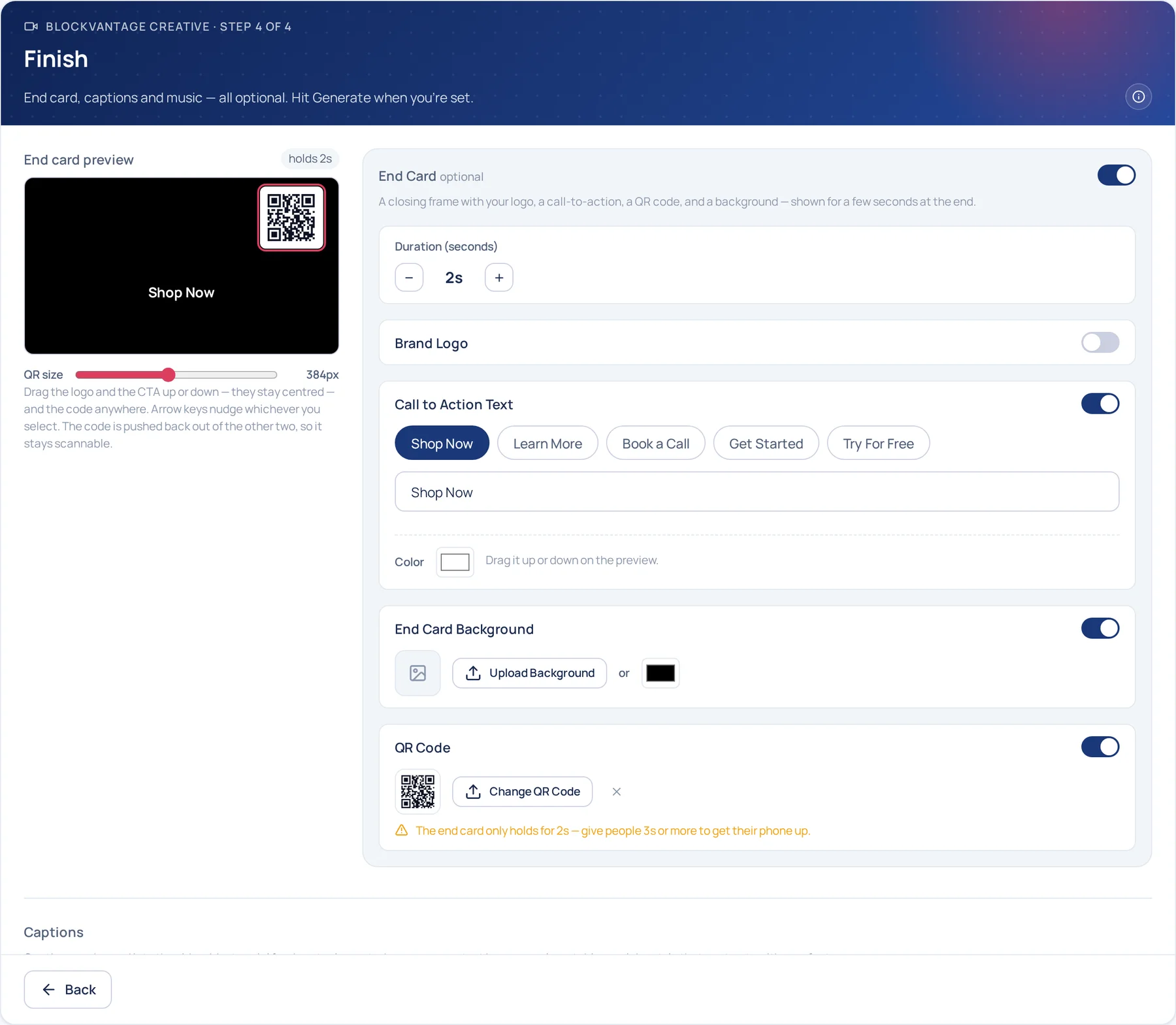
End card, captions and music. The end card is the step that decides whether the spot reads as the brand's.
Generated shots and a voiceover can come out feeling unbranded, and the end card is where that gets fixed or doesn't: logo, offer and where to go, on screen for the last two seconds. It can make or break the connection to the brand.
What comes back
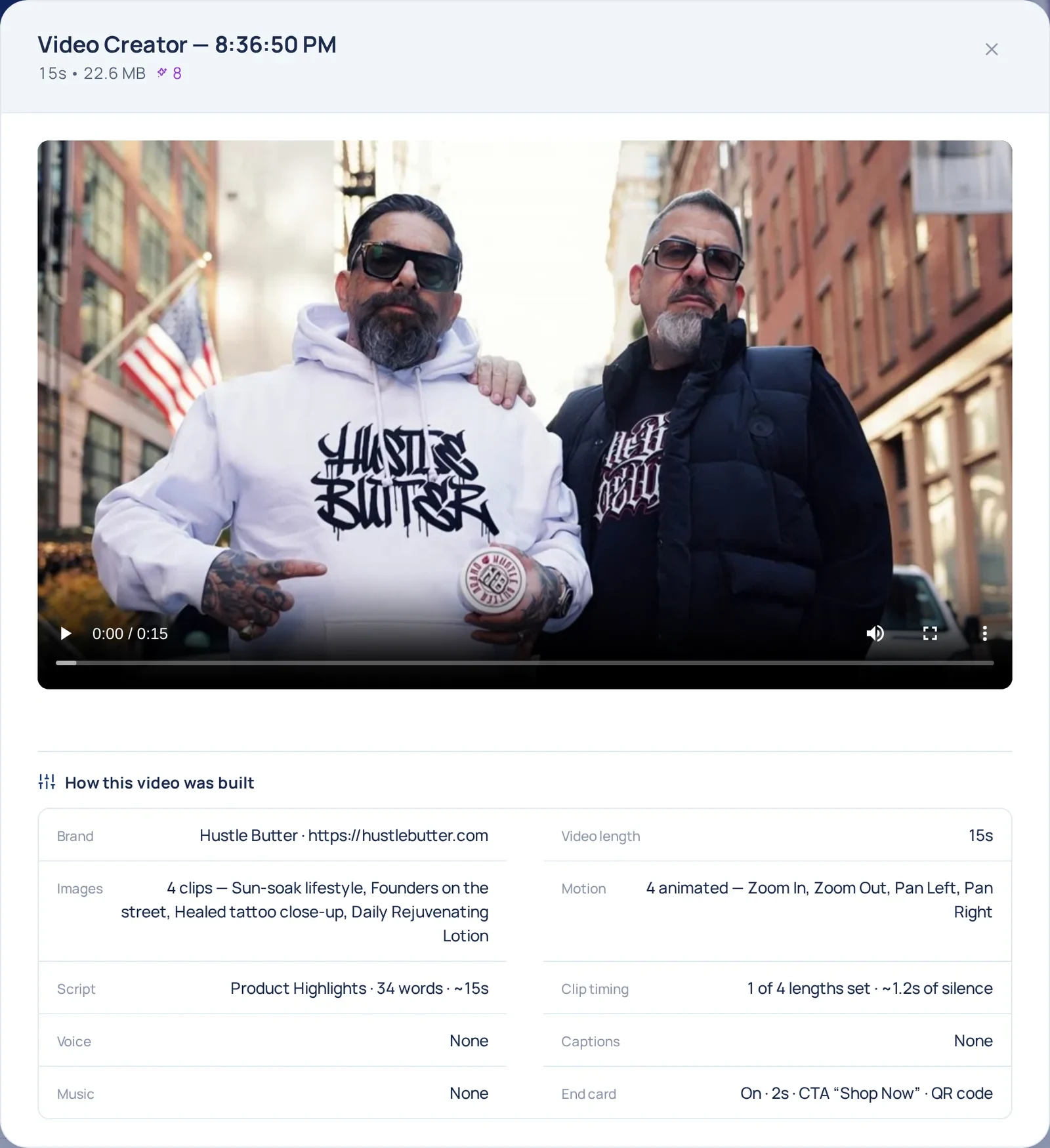
A finished :15, with its receipt
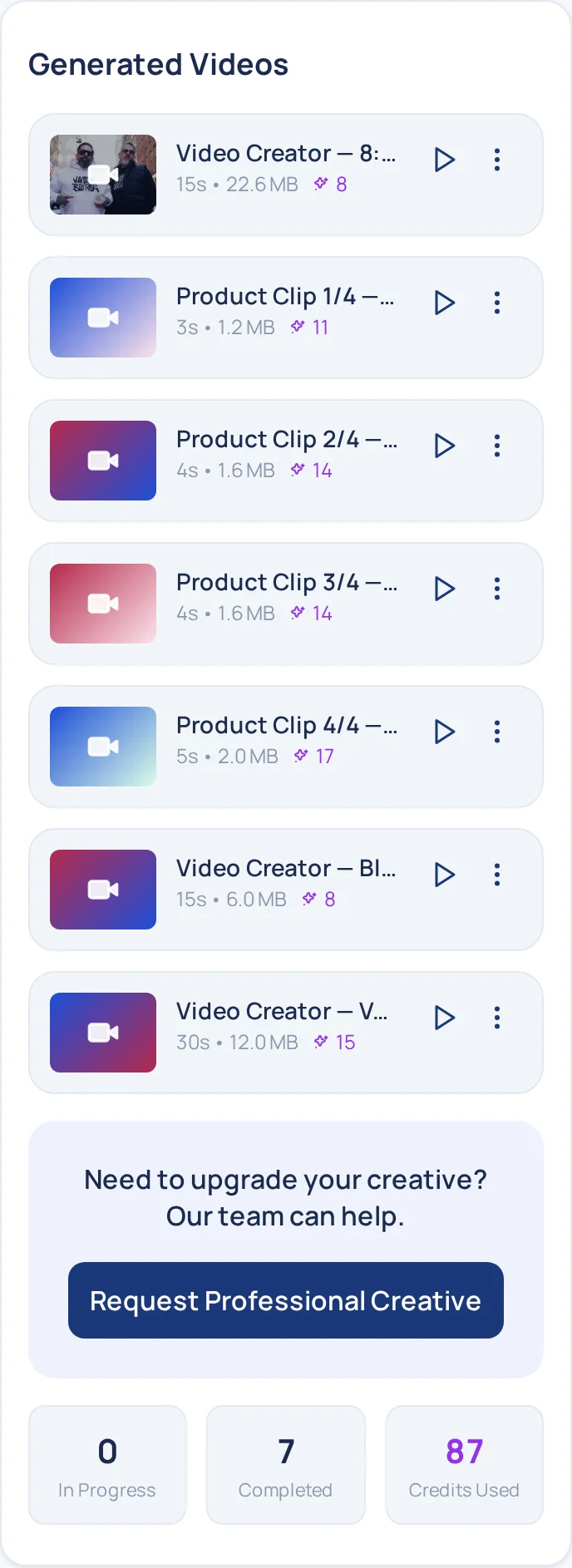
The finished spot lands at the top of the Generated Videos rail, with the four clip renders it was cut from underneath it.
Every row in the rail is a receipt: length, file size and what it cost. The :15 sits at the top, and the four clips it was cut from sit under it with their own, so the spot is accounted for shot by shot.
Outcomes
What it changed.
BlockVantage's pitch is no minimums and no experience needed. The advertisers that pitch attracts are the ones with no ad to run, so the studio is the first thing they use and the reason the rest of the platform gets used at all.
+20%
more customers, and growing
Advertisers who arrive with no video and leave with one go on to buy the rest of BlockVantage. Measured lift.