Agent Tooling
Rigger
Mission control for the Claude Agent SDK
Visual dashboard for testing and debugging Claude Agent SDK. Configure parameters, monitor sessions, and manage tools without writing code.
Designed & Developed · Side Project
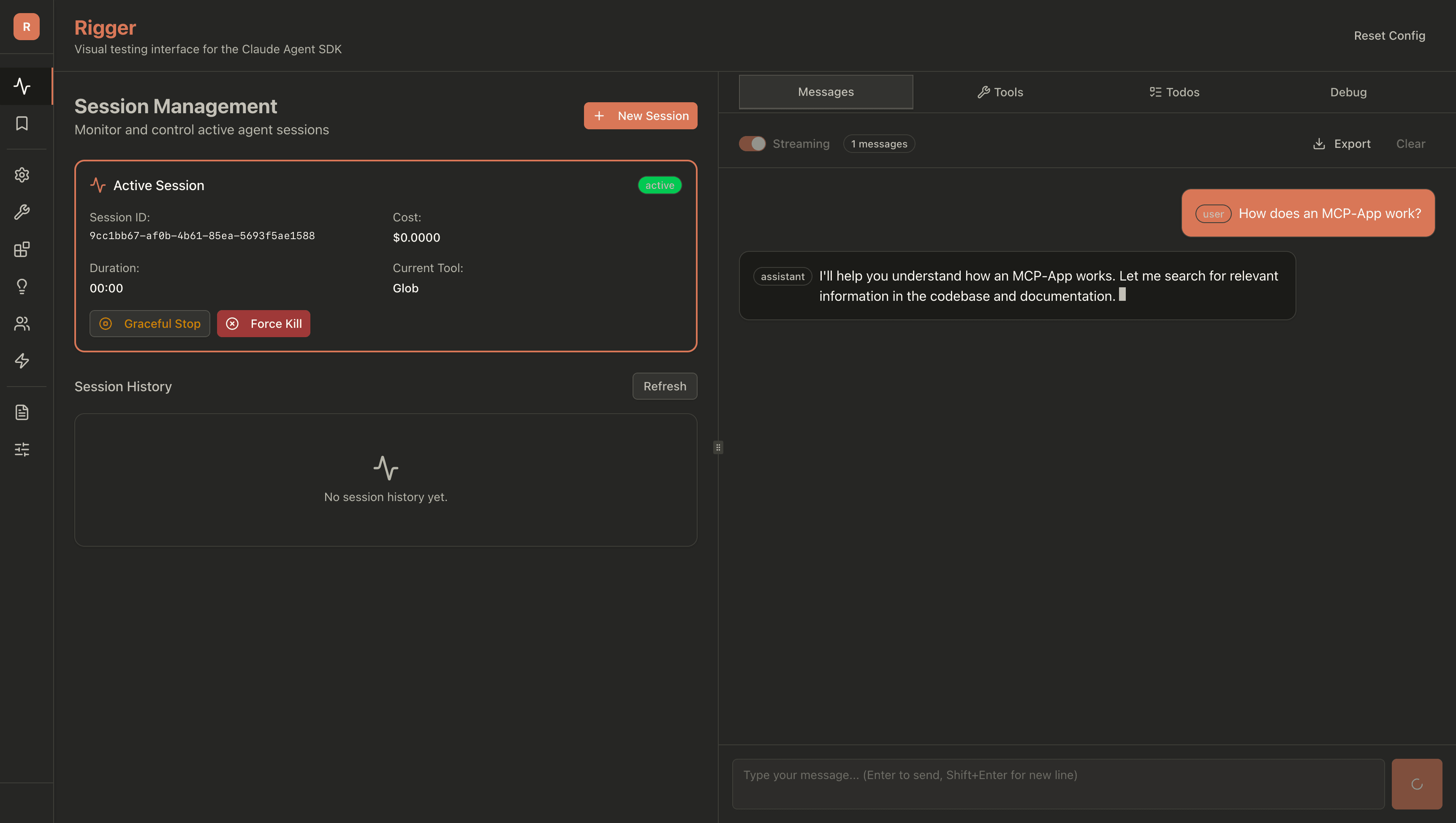
The Claude Agent SDK is powerful—but working with it means constant context switching between code, CLI, and documentation.
CLI Tedium
Running agents from the command line works, but iterating on prompts and configurations gets tedious fast.
Blind Execution
Hard to monitor token usage, costs, and execution in real-time. You find out what went wrong after it's over.
Developer-Only Access
Product managers, designers, and stakeholders can't experiment with agents at all. Testing ideas means filing tickets and waiting for dev time.
A full-stack visual dashboard that wraps the Agent SDK with an intuitive interface for configuration, testing, and monitoring.
Core architecture:
- •Next.js 16 frontend with React 19
- •Express backend with TypeScript
- •PostgreSQL for session persistence
- •Docker Compose for deployment
Real-time streaming via SSE, not WebSockets. Simpler, more reliable for this use case.
Turning SDK parameters into an interface that's actually faster than editing JSON. The dashboard needed to reduce friction, not add another layer of complexity.
Good developer tools should feel like design tools.
What It Looks Like
The interface follows a three-panel layout: sidebar navigation on the left, configuration in the center, and the chat/debug panel on the right. Everything you need visible at once.
Ten navigation tabs cover the full SDK surface area: Sessions, Configuration, Basic Config, Tools, MCP Servers, Skills, Subagents, Hooks, Files, and Advanced settings.
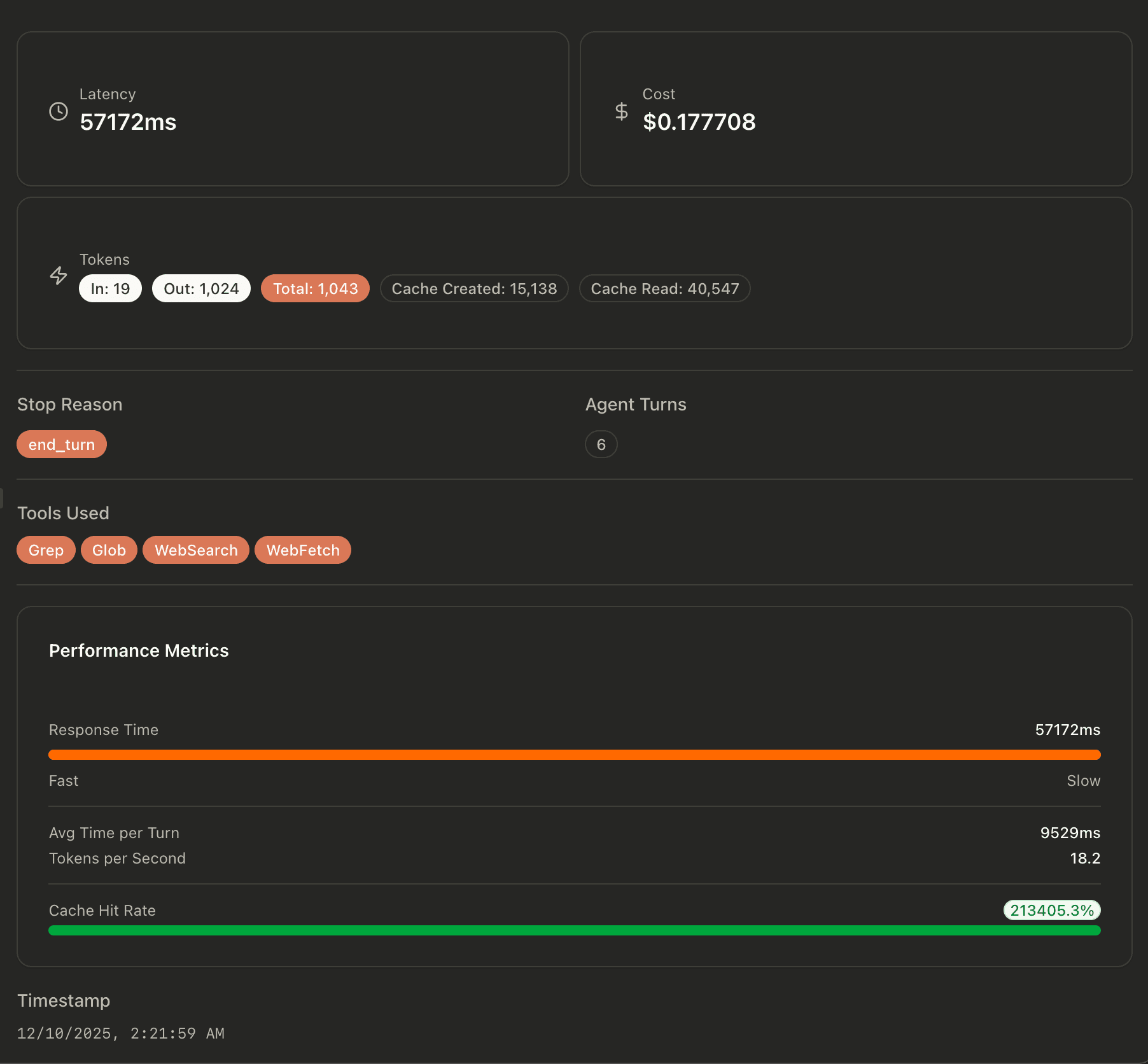
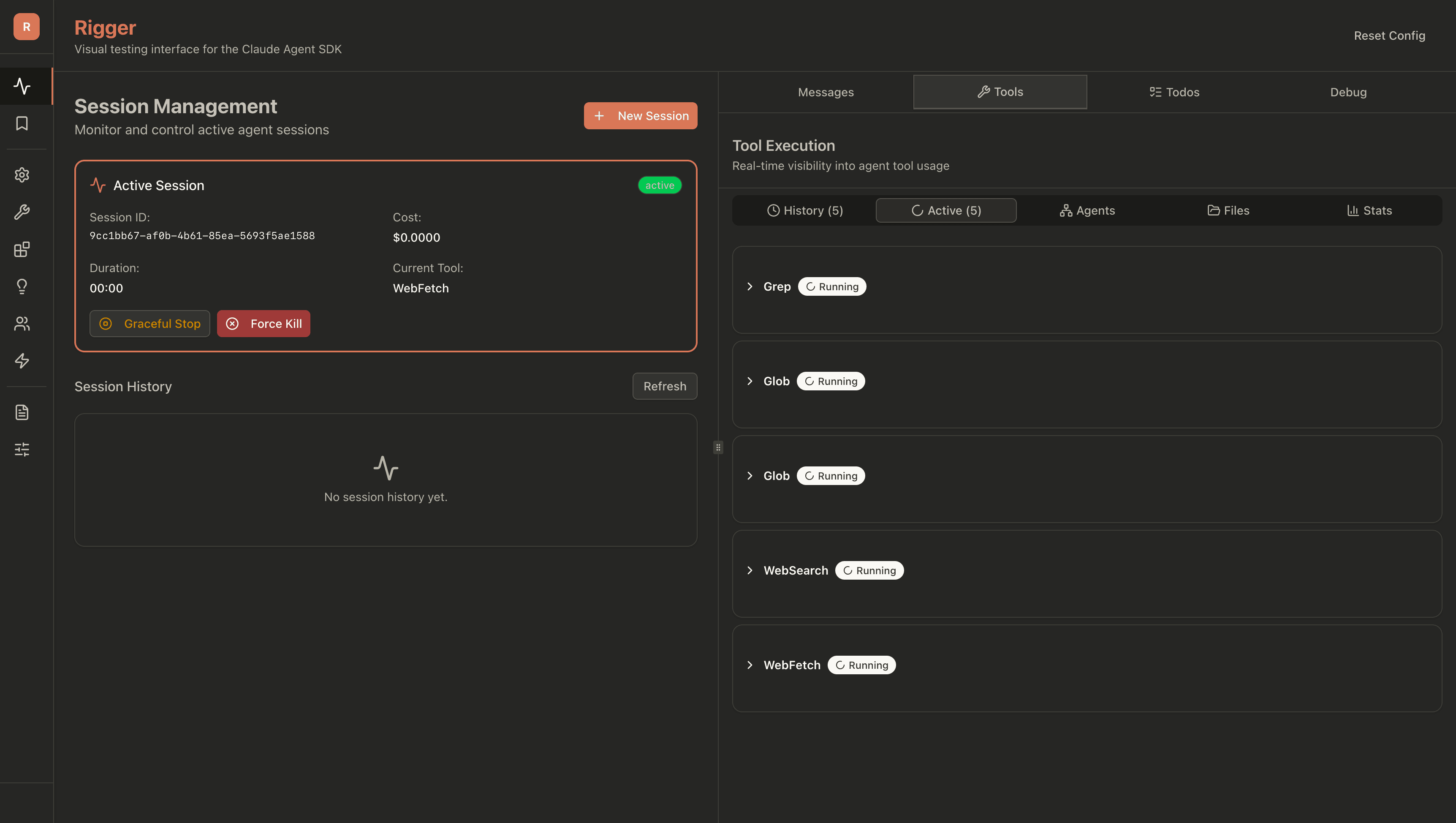
The chat panel streams responses in real-time via SSE. You see tokens arrive as they're generated, tool calls as they happen, and thinking steps if enabled. No waiting for complete responses.
A debug overlay shows live metrics: token count, estimated cost, current tool, and session state. When something goes wrong, you know immediately—not after the run completes.
The Stack
- •Next.js 16 with React 19 and TypeScript for type-safe development
- •Zustand for state management — lightweight enough to avoid Redux overhead for a tool this size
- •Tailwind CSS 4 + shadcn/ui — consistent component language, no custom design system to maintain
- •SSE event handling for real-time streaming updates
- •Express.js with TypeScript — simple enough for a tool that needs routes and SSE, not a framework
- •@anthropic-ai/claude-agent-sdk for Agent SDK integration
- •PostgreSQL with JSONB — agent configs are schemaless by nature, relational storage would fight the data
- •Docker Compose for consistent deployment across environments
What's the Agent SDK — and Where Rigger Fits
Anthropic's official SDK for building agentic applications with Claude. It handles the agentic loop: sending messages, executing tools, managing context.
Think of it as the engine that powers AI agents. You configure parameters, register tools, and the SDK orchestrates the back-and-forth between Claude and your system.
Rigger wraps the Agent SDK with a visual interface. Instead of editing JSON configs and running CLI commands, you use forms, toggles, and dropdowns.
It's the dashboard you wish existed when you started working with agents. Configure once, save as preset, reuse across sessions. See exactly what's happening as it happens.
Not a replacement for the SDK—a companion that makes working with it faster and more visual.
Design Overview
Four design decisions shaped Rigger. Each started with something going wrong.
A debugging session ran longer than expected. The agent tried multiple approaches, spawned subagents, made dozens of tool calls. Seemed fine until the API bill: $40 for what felt like 20 minutes of work. I had no idea where it went.
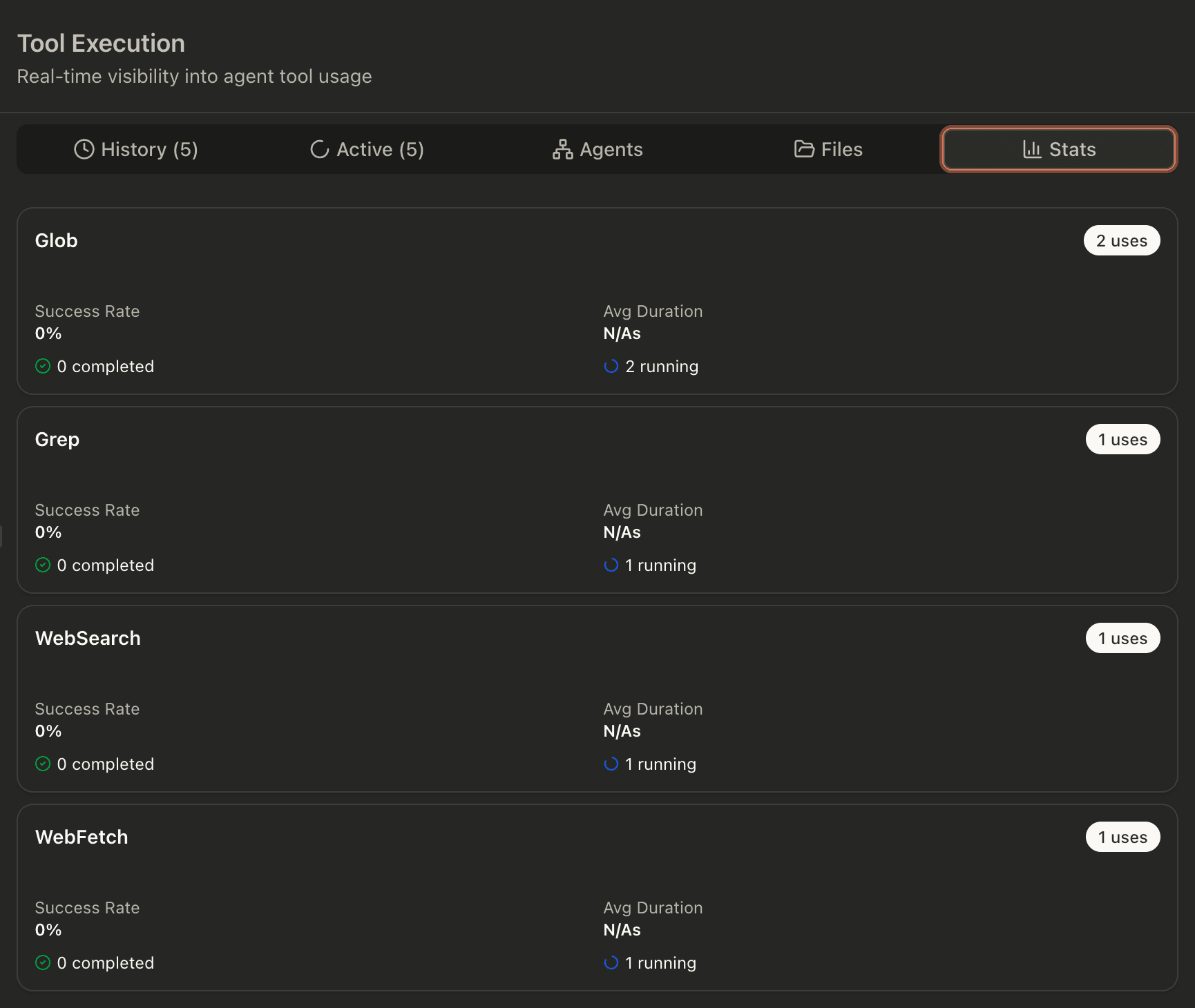
Real-time cost tracking wasn't a nice-to-have after that—it was essential. The Debug tab now shows tokens and estimated cost as they accumulate. You see the meter running. When caching is enabled, you see the cache hit rate proving it's actually working.
Autonomous agents can write files, execute commands, and modify your system. Giving them unrestricted access is risky. To get the full functionality out of the Claude Agent SDK, there must be a sandbox environment.
Rigger runs agent processes inside Docker containers. The agent sees a filesystem, but it's isolated from your host. It can read and write within its sandbox, but it can't touch your home directory, system files, or anything outside its designated workspace. When something goes wrong, you reset the container.
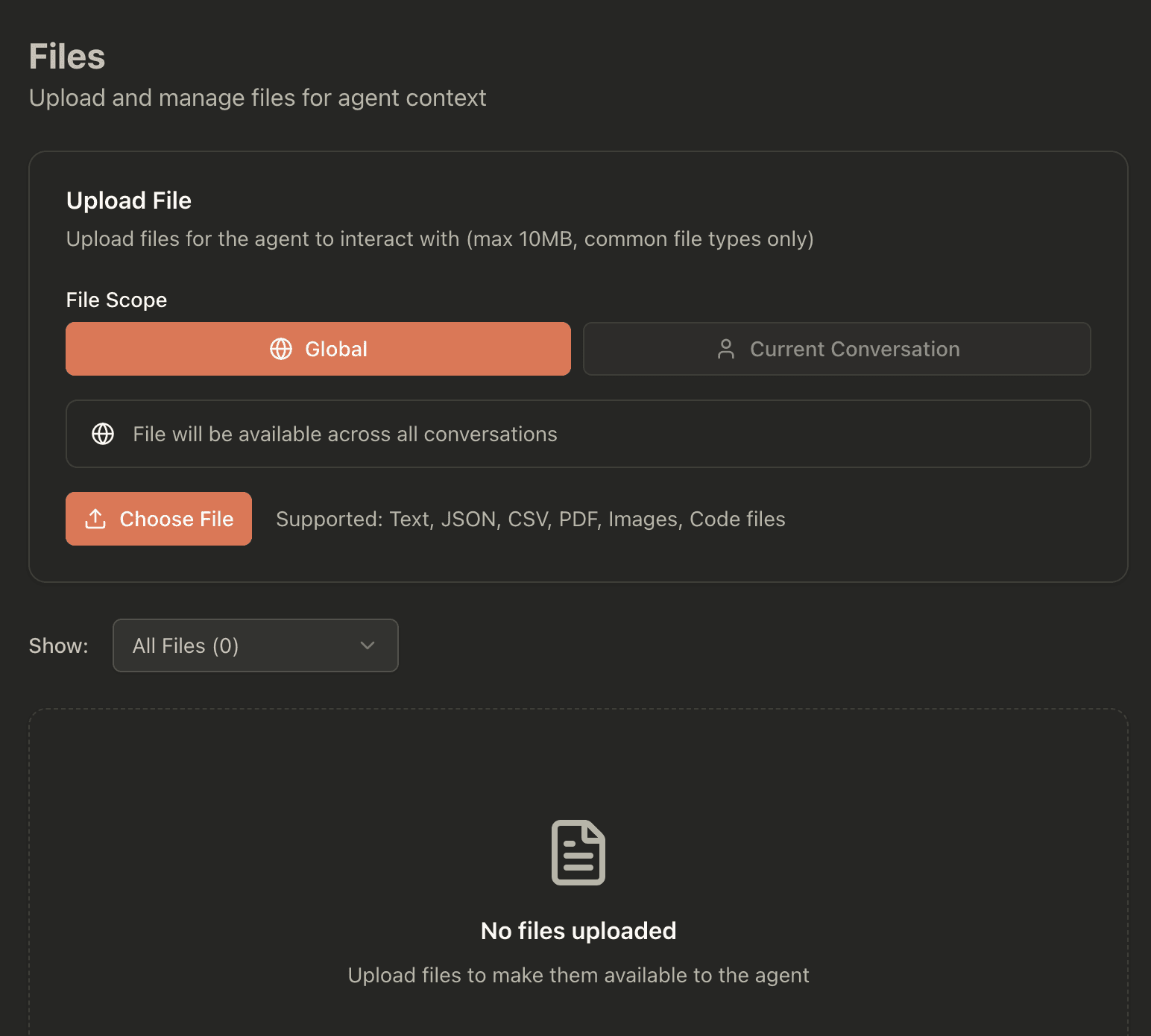
Early testing taught me that agents don't always stop when you want them to. One got stuck in a loop rewriting the same file. Another kept spawning subprocesses after I thought I'd ended the session. Clicking a button and hoping wasn't a strategy.
The two-tier stop system came from these failures. Graceful stop sets an abort flag—the agent finishes its current operation, then halts cleanly.
Force kill terminates everything immediately. No waiting for the agent to check its flags. No hoping it notices. Just done. Building both options meant accepting that failure modes differ—and the response should match the severity.
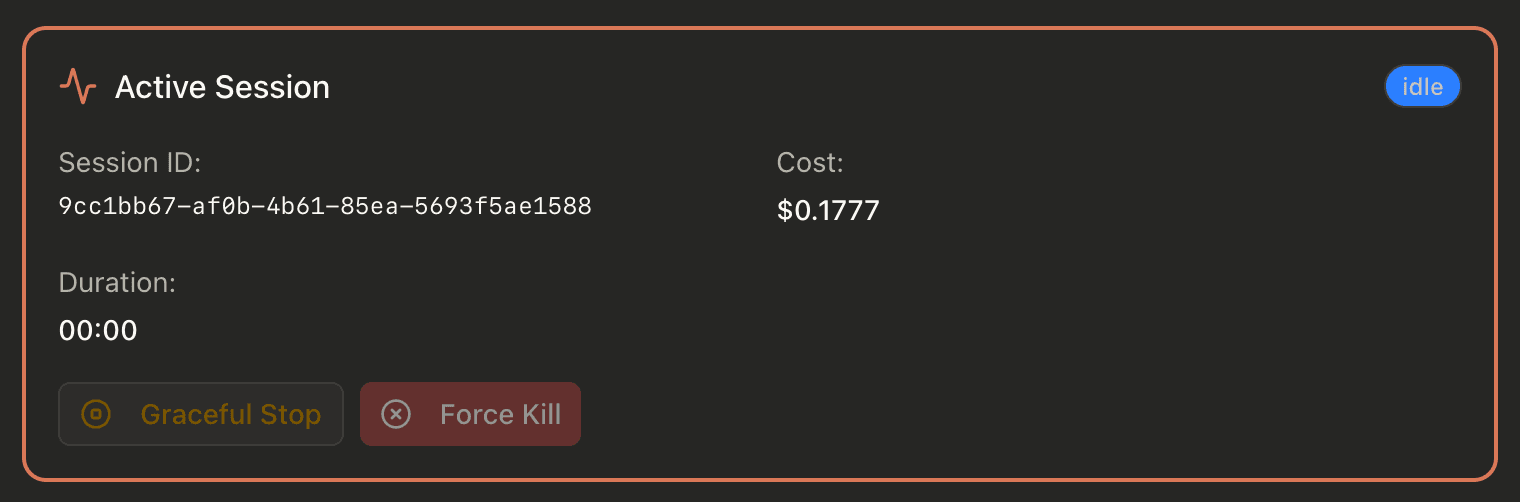
AI agents feel like black boxes. You give them a task, they do... something. Maybe they use the right tools. Maybe they hallucinate a file path. You find out when the output arrives—or doesn't.
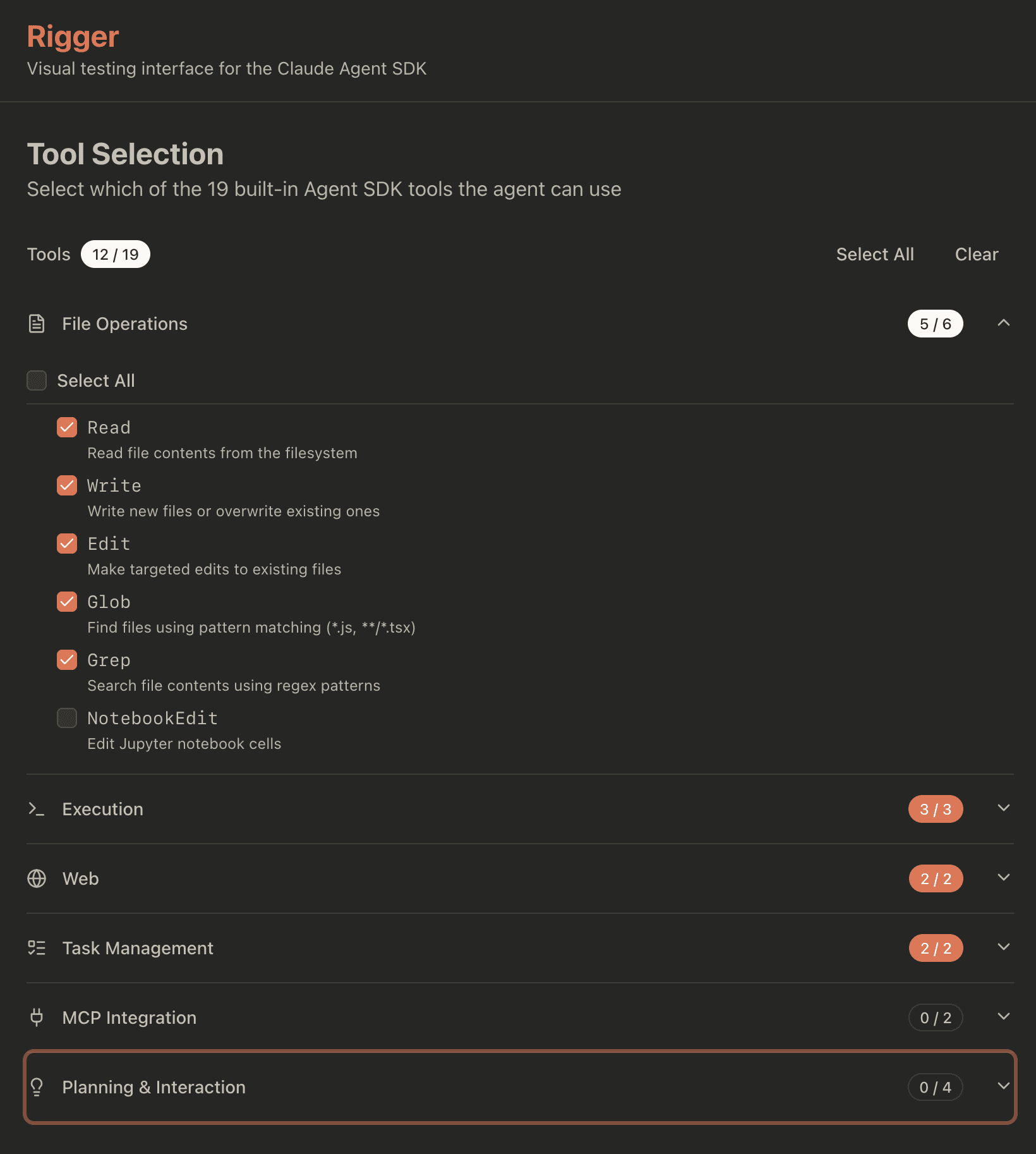
Rigger's configuration panels work against that uncertainty. Before you run anything, you see exactly which tools are enabled, what system instructions the agent has, which files it can access, what permissions it's been granted. The agent's capabilities are laid out, not hidden in config files or buried in prompts.
For non-developers especially, this matters. You can verify what an agent will do before it does it—no need to trust that someone configured it correctly. The interface itself becomes a form of documentation.
Outcomes
Visual Configuration Speed
Forms beat JSON for iteration speed. Developers spend less time remembering parameter names and more time testing hypotheses. The visual layout surfaces options you'd forget existed in a config file.
Real-time Debug Value
Seeing tool calls as they happen changes how you debug. You catch wrong turns early instead of post-mortem. The live token counter prevents runaway cost surprises.
Configuration Presets
Being able to save and load agent configurations as presets is more useful than expected. Different presets for code review, debugging, documentation—switch contexts in one click.
Lowered the Access Floor
The visual interface turned out to matter most for the people who never would have touched the SDK directly. Product managers and designers started prototyping agent behaviors on their own — no tickets, no waiting for dev time.
Open Source
Rigger is MIT licensed and actively maintained. Built for the Agent SDK community—contributions welcome.
View on GitHub