Mobile iOS
Safe & Sound
Safety-first school search for parents
School search iOS app for safety-minded parents across the political spectrum.
UX Design · UI Design · UX Research
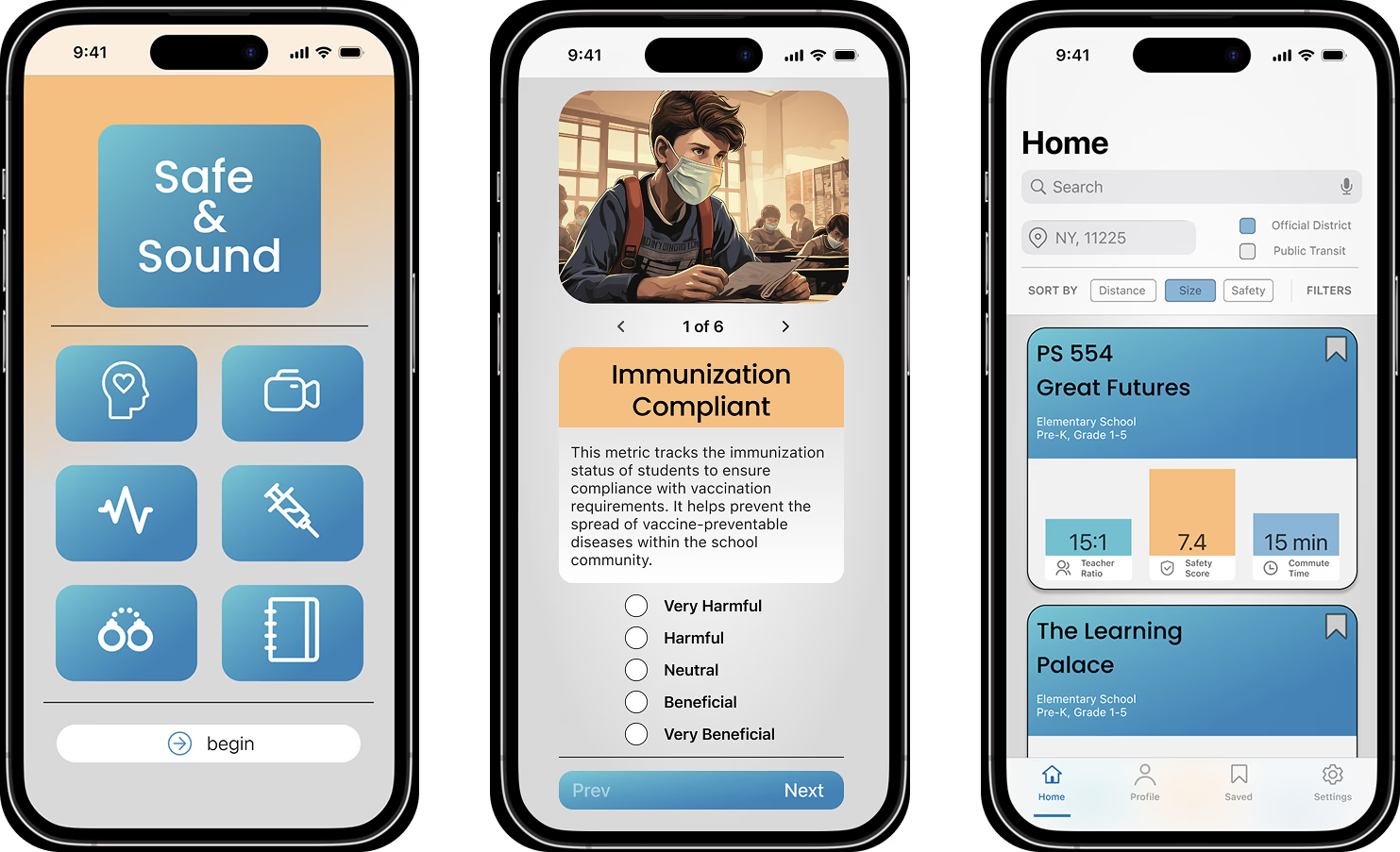
Parents searching for a new school need a tool that emphasizes safety to feel a sense of control when making decisions about their child's educational future.
An MVP built to test the "lens of safety" concept quickly—minimal functionality focused on validating the core idea and gathering user feedback.
Balancing speed to market with meaningful research—proving whether framing school search around safety would resonate with parents across the political spectrum.
Diving Into Research
We kicked off with a deep dive into the minds of parents. We chatted with five parents about their school selection process, pored over 12 different data streams about schools, and even ran an online survey to get a broader perspective.
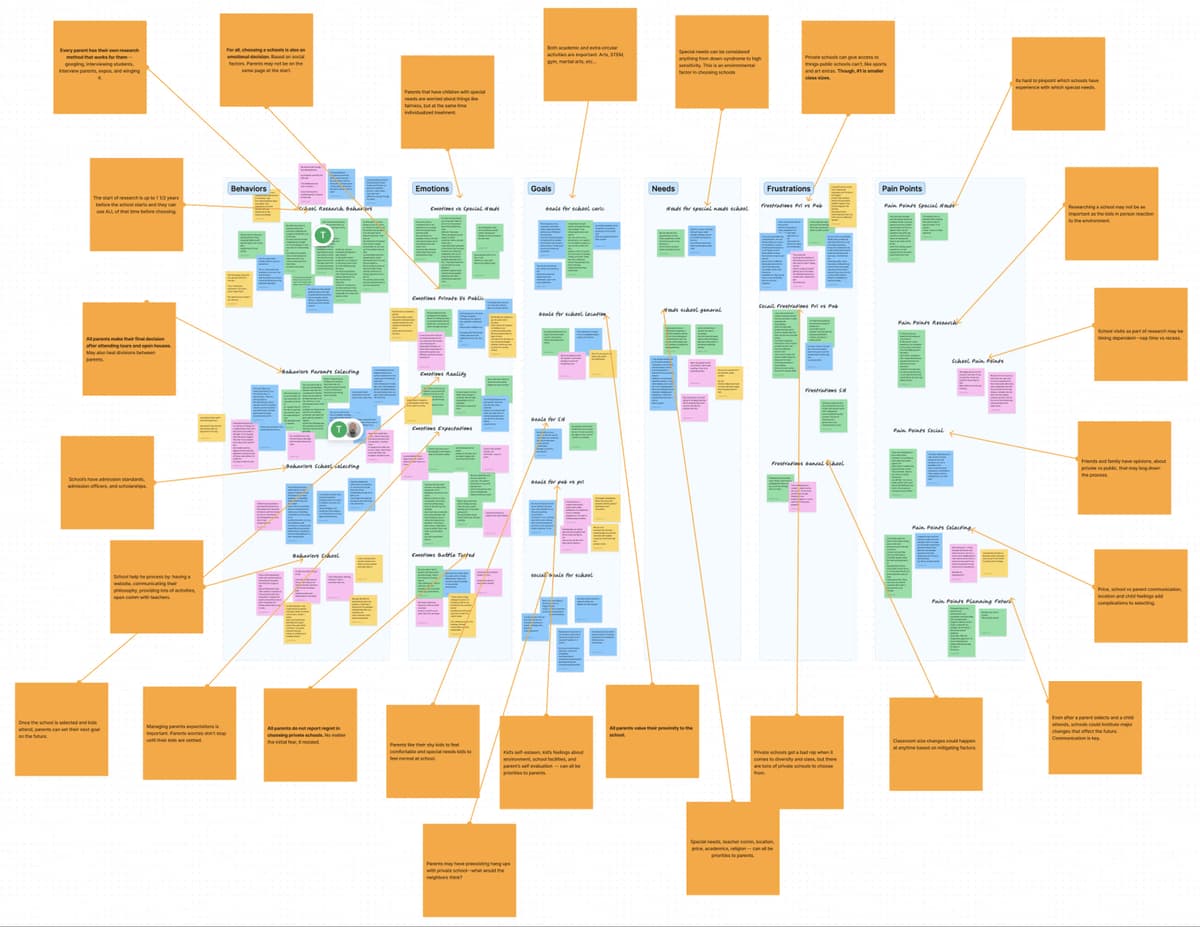
Emotional Decision
The process of selecting a school is deeply personal and emotional for parents, as it directly impacts their child's future. This decision is influenced by factors beyond just academic quality.
Smaller Class Sizes
The most significant concern for parents when choosing a school is often the class size. They recognize the value of individualized attention and a more conducive learning environment that smaller class sizes can offer.
Proximity Matters
The proximity of the school to the parents' residence is a common consideration. Parents appreciate the convenience of having the school close by, reducing commuting time and facilitating involvement in their child's education.
We ran a far reaching, online survey and asked parents which category of data was the most important to them in terms of choosing a school, in order to be able to prioritize design.
Safety was #1
A surprise finding—when asked to rank priorities, safety consistently emerged as the top concern across diverse parent groups, regardless of political affiliation
We wanted to study three other direct school search competitors, in order to learn what worked and what didn't from a business landscape perspective.
No other products focused or highlighted the concept of safety. Great Schools came close and was in the process of implementing school safety ratings into their product. However, the results were messy, probably due to the fact the focus of safety was "tacked on" and faded into the background of features.
Designing With Safety In Mind
We knew we needed to make safety the star of the show, but in a way that acknowledged how differently people define it.
We started with the app's structure, making sure safety was woven into every part of the experience.
Key Design Directions
Refine IA Around Safety
Restructure information architecture to center safety metrics and personalization
Customizable Metrics
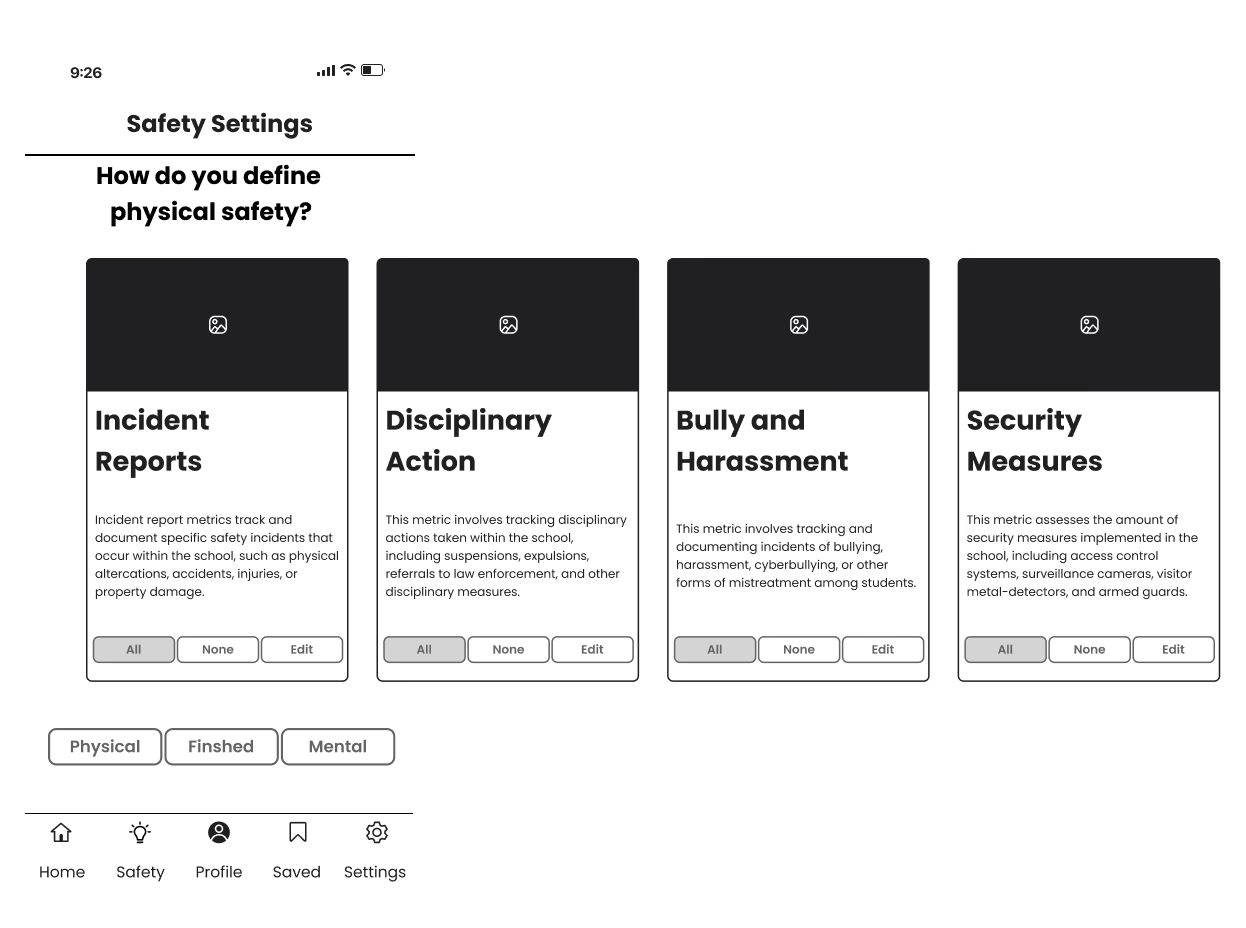
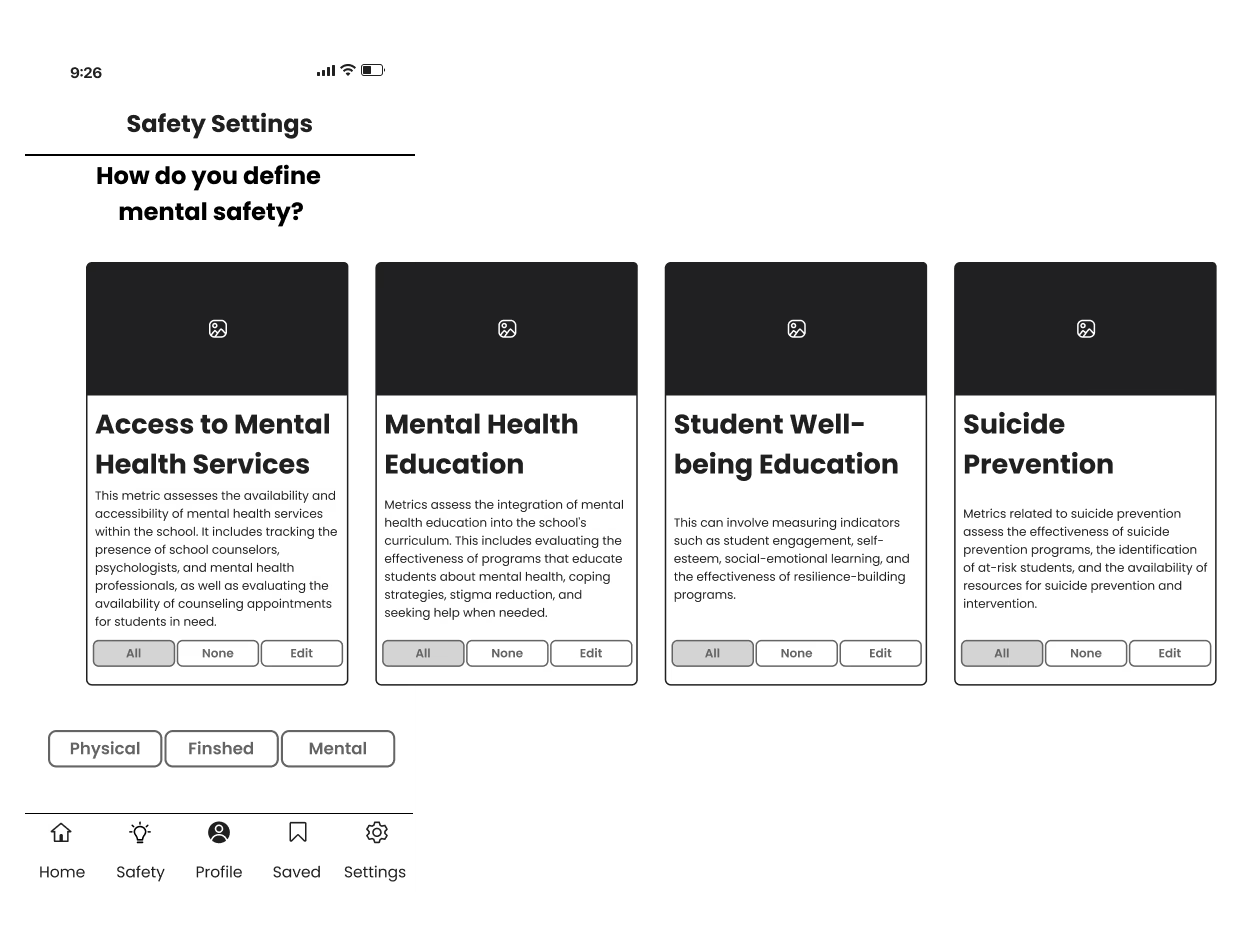
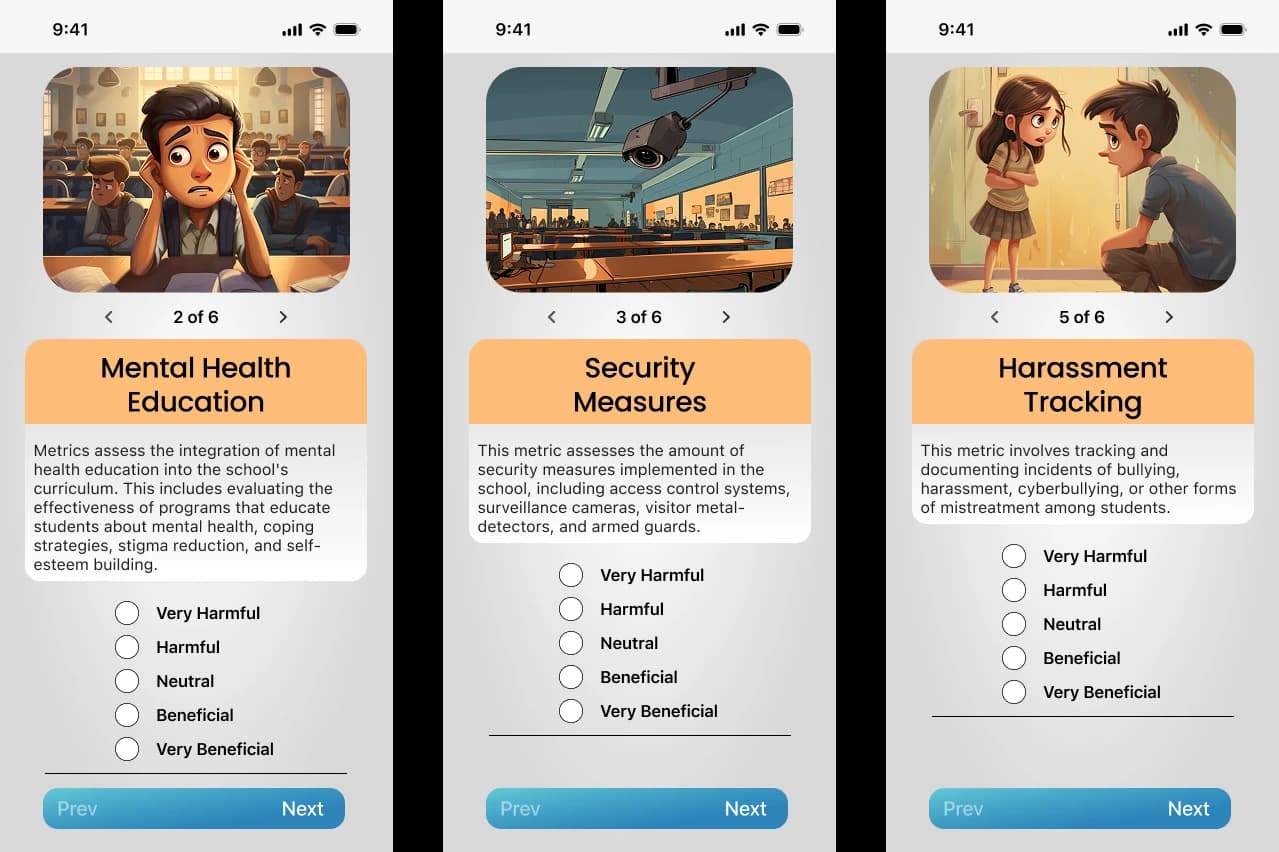
Transparent, user-defined safety priorities that adapt to individual family values
Focus on Public Schools
Scope MVP to public school data for faster validation and broader accessibility
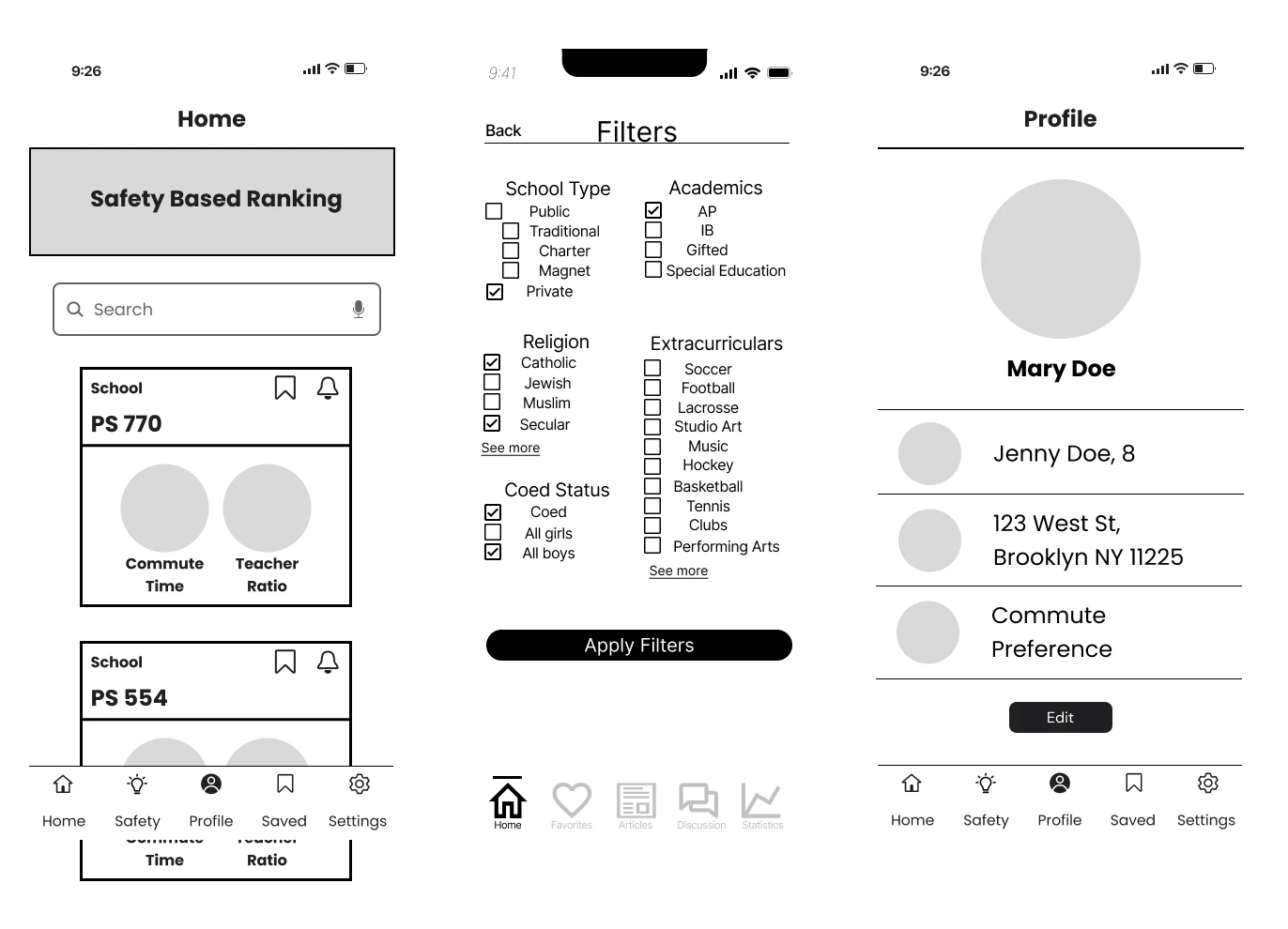
Wireframing focused on an onboarding flow that helps users define their personal definition of safety before showing any school results.
User Testing Insights
Safety More Controversial
The concept of "safety" was more politically charged than anticipated during testing
Solution: Transparency & Agency
Users define safety differently—gave them more transparency and control over how safety is calculated
Styling for Perceived Controversy
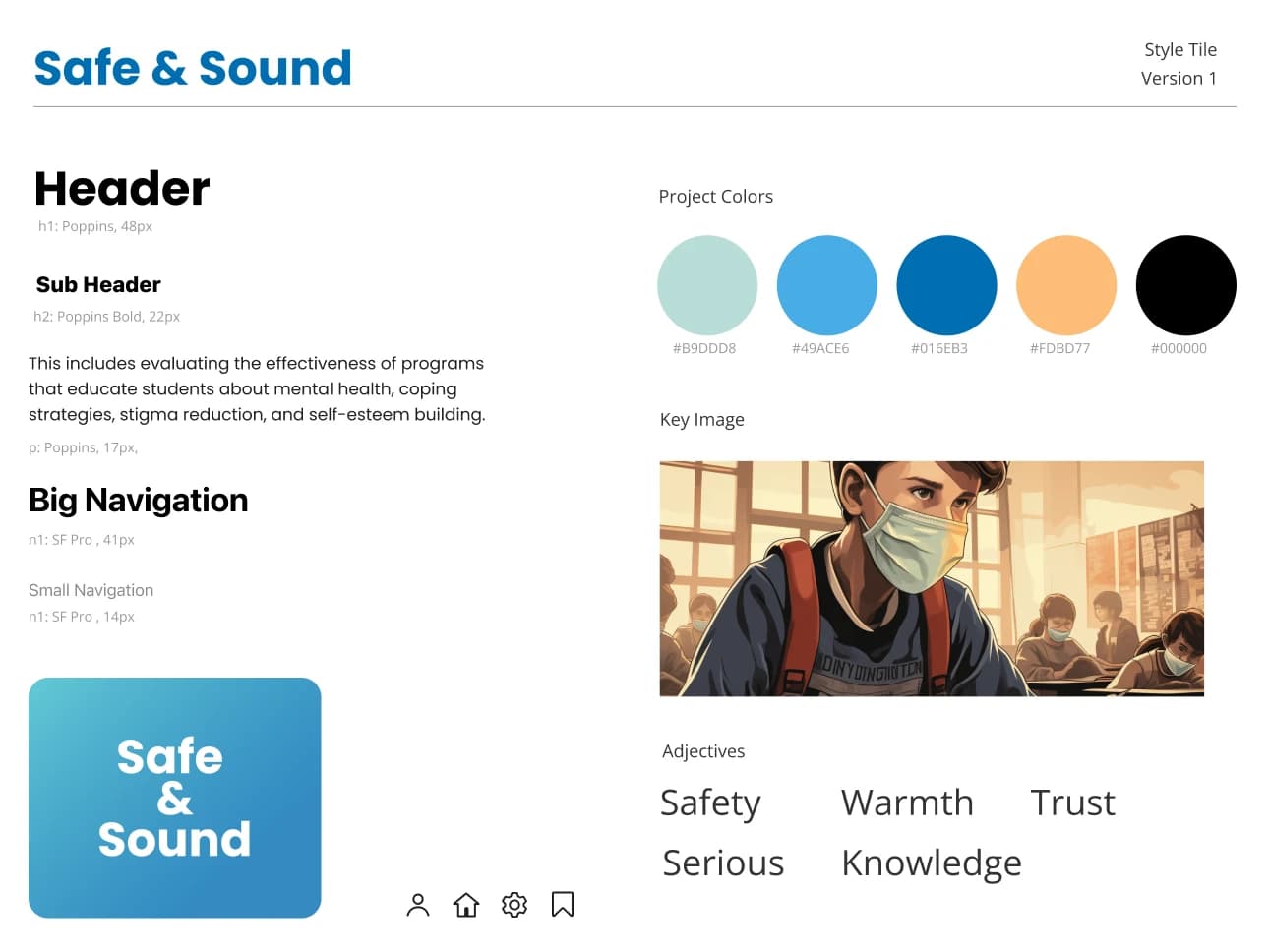
Adopted a "serious cartoon" visual style—acknowledging the gravity of school safety while remaining approachable and non-threatening to parents across the political spectrum.



Polishing The Product
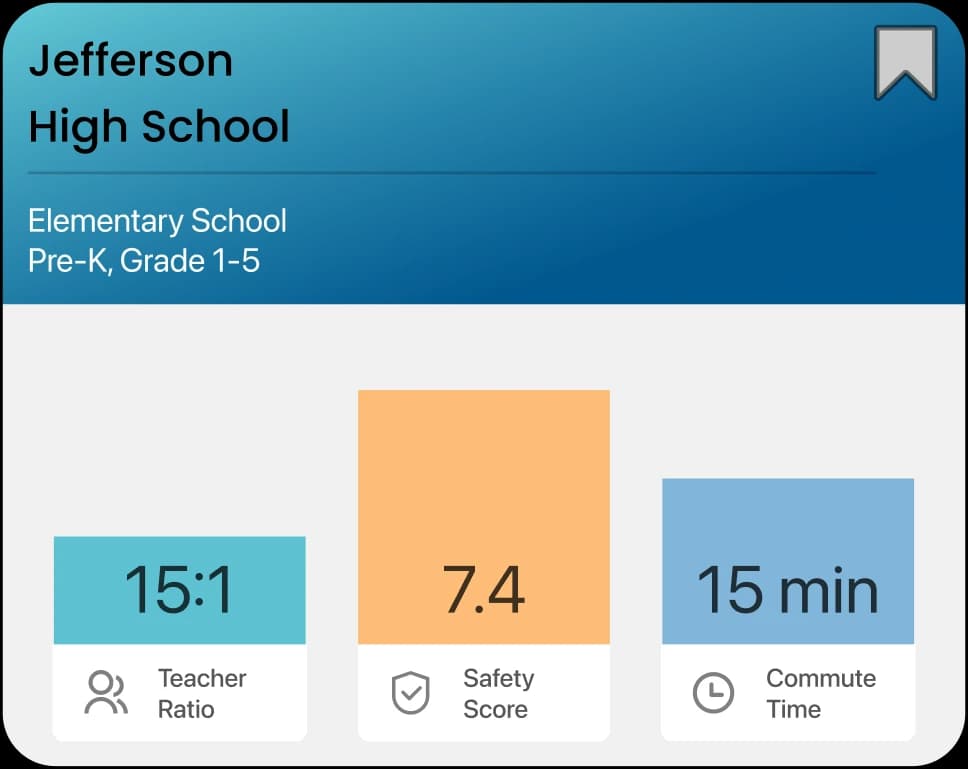
Personalized safety ratings based on user-defined priorities and weighted metrics
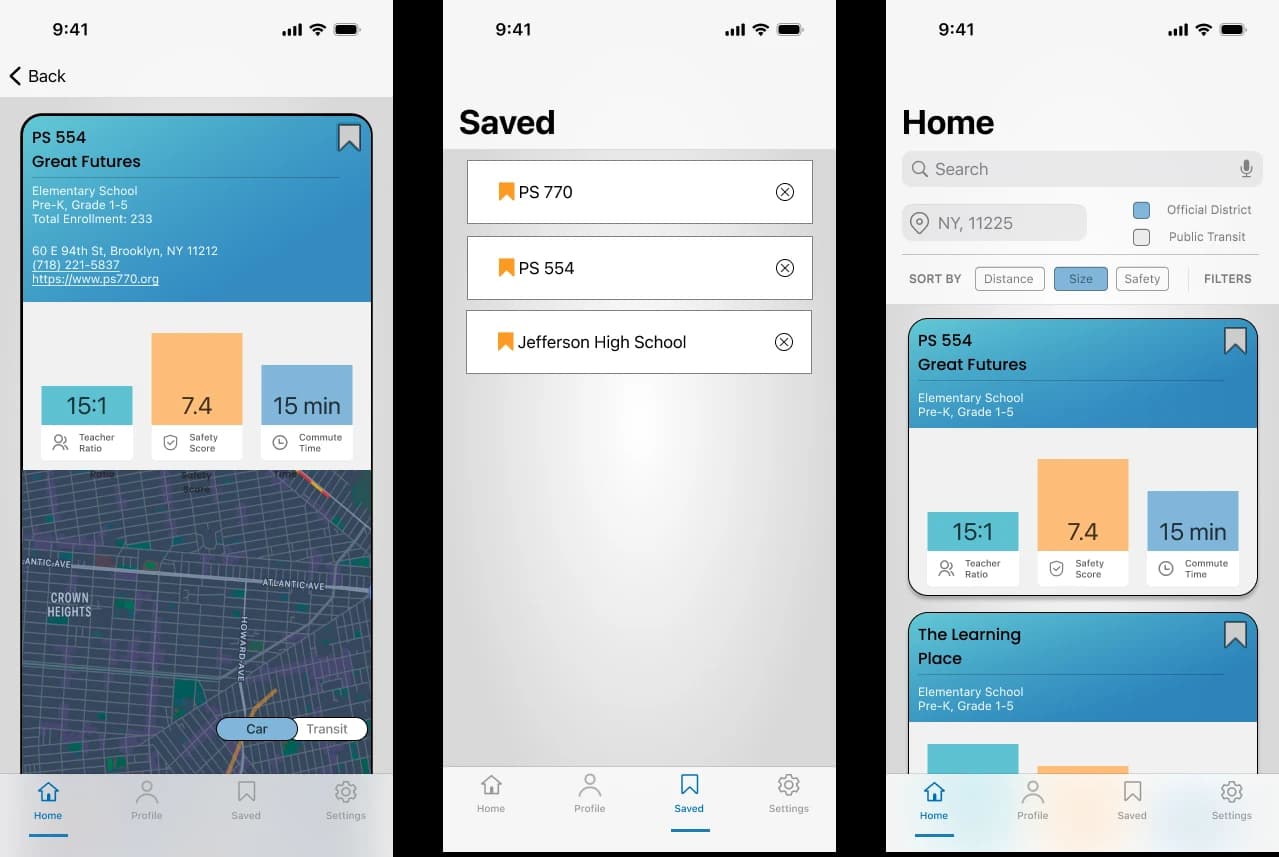
Student-teacher ratio, commute time, and composite safety score prominently displayed
Quick delivery foundation for validating core concept with real users
Mobile App Screens
Wrapping Up Safely
Ideas for future iterations beyond the MVP:
- •Real-world safety data integration (crime stats, incident reports)
- •School comparison tools for side-by-side analysis
- •Favorites and shortlist functionality
- •Community reviews from other parents
Key learnings from this project:
- •Balancing quantitative data with qualitative insights is crucial for emotional decisions
- •Iterative design revealed blind spots around political sensitivity
- •User agency and transparency build trust in controversial domains
- •MVP scope discipline enabled faster learning